
Quick answer
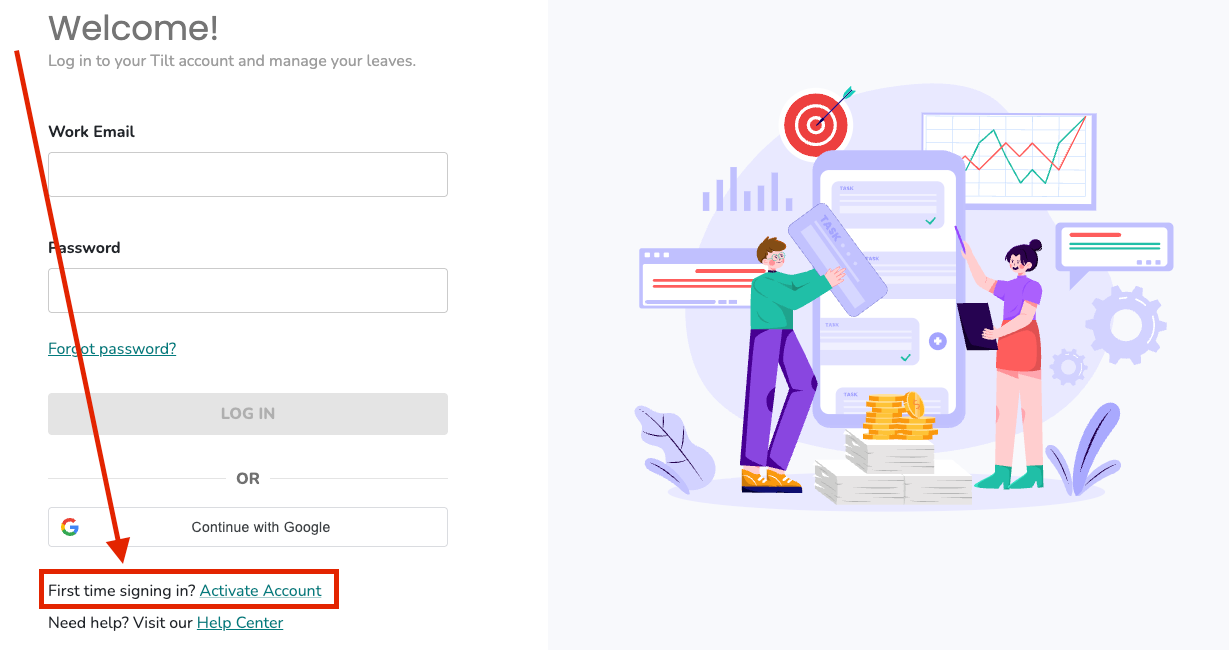
Go to your company's Tilt login page and click Activate Account in the bottom-left corner. Enter your work email. Tilt will then send an activation email to both your work and personal email addresses on file. Click the link in that email to create a password and finish activating your account.
Who this applies to / Prerequisites
- You are a new Tilt user who has never logged on.
- Your original activation link expired, and you need a new one.
- Your HR team has added you to Tilt.
- You have a work or personal email address on file with Tilt.
Steps
- Go to your company's unique Tilt login page. If you don't know your company's subdomain, see How do I find my company's Tilt login URL?
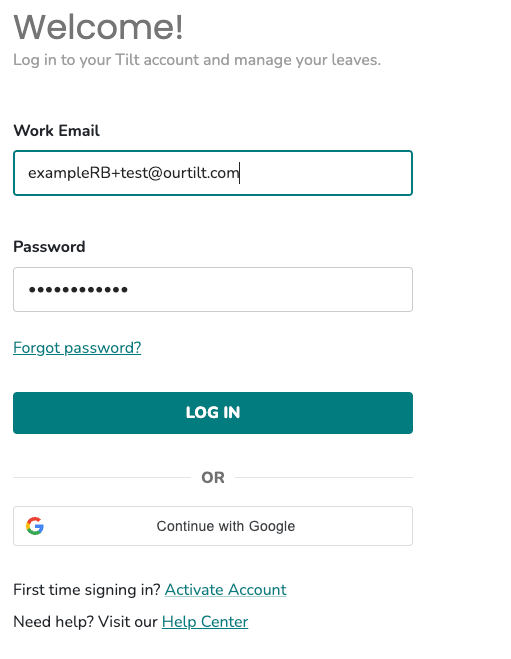
- Click Activate Account in the bottom-left corner of the login page.
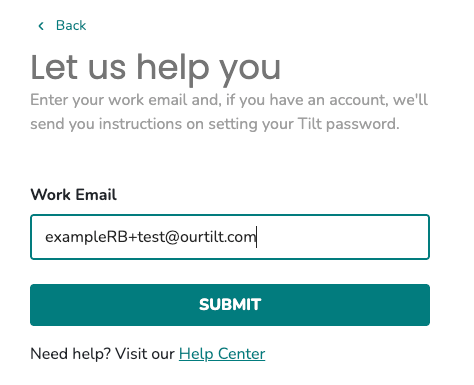
- Enter your work email address.
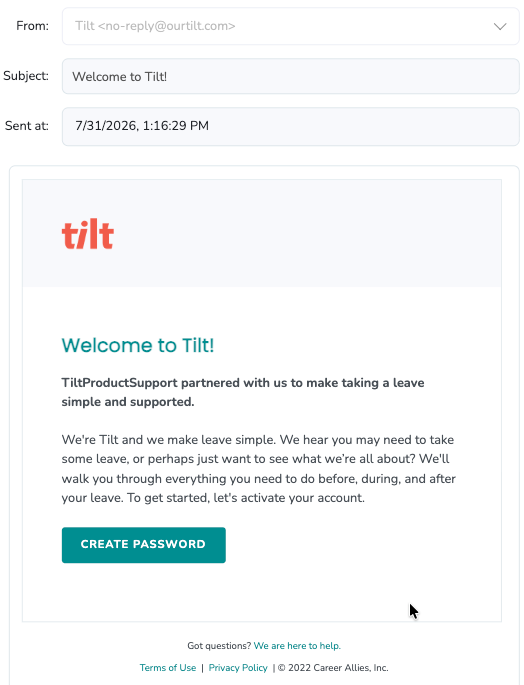
- Check your inbox for an email from Tilt. The activation email is sent to both your work and personal email addresses on file.
- Click the activation link in the email.
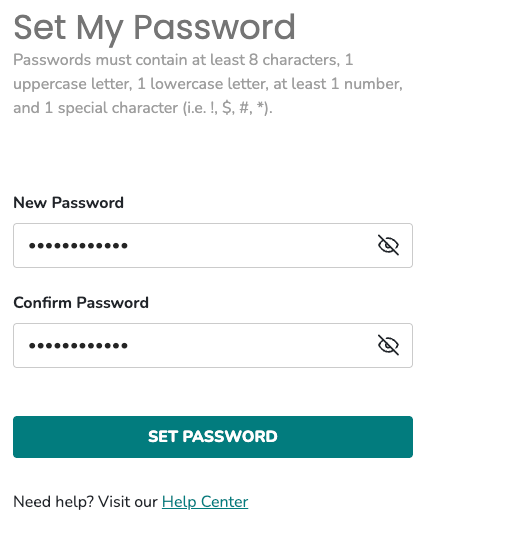
- Set your password and click Set Password.
- You will be prompted to log in using your work email address and the new Tilt password.
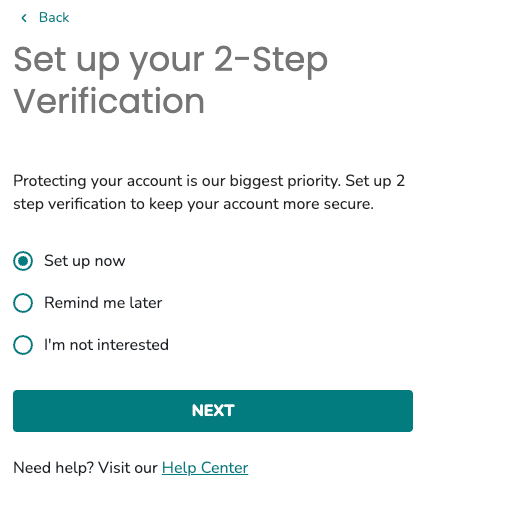
- You will be asked to set up 2-factor authentication.
What if it doesn't work
- If the activation email does not arrive, check your spam/junk folder.
- If it still doesn't arrive, try your personal email instead of your work email — some companies use personal emails as the Tilt login.
- Contact your HR team to confirm the exact email address they used to create your Tilt account.
- If your original activation link expired, click Activate Account again to trigger a new email.
Limits and exceptions
- You must use the exact email address your HR team entered in Tilt. If they used a different address than what you expect, no activation email will be sent — and Tilt does not show an error.
- If your company enforces Single Sign-On (Okta, Azure, Google, Rippling), you do not activate this way. See How do I log into Tilt when my company uses SSO?
- After activation, log into Tilt with your work email address, even if you received the activation email at your personal address.
Related questions
- How do I reset my Tilt password?
- Why am I not receiving emails from Tilt?
- How do I find my company's Tilt login URL?
- How do I log into Tilt when my company uses SSO?