
If you use Tilt's leave data pushback, you need to grant one additional Domain Security Policy and add the Tilt ISU to four Business Process Security Policies in Workday, on top of the standard one-way permissions.
Who this applies to / Prerequisites
- Only applies if you use Tilt's 2-way integration (leave data pushback into Workday). Skip this article if you're only using the standard one-way integration.
- You've already completed the standard permissions setup (see "What permissions does Tilt's Integration System User need in Workday?").
Steps
- Add the Integration Event Domain Security Policy (Functional Area: Integration) with Get access, the same way you added the other domain policies.

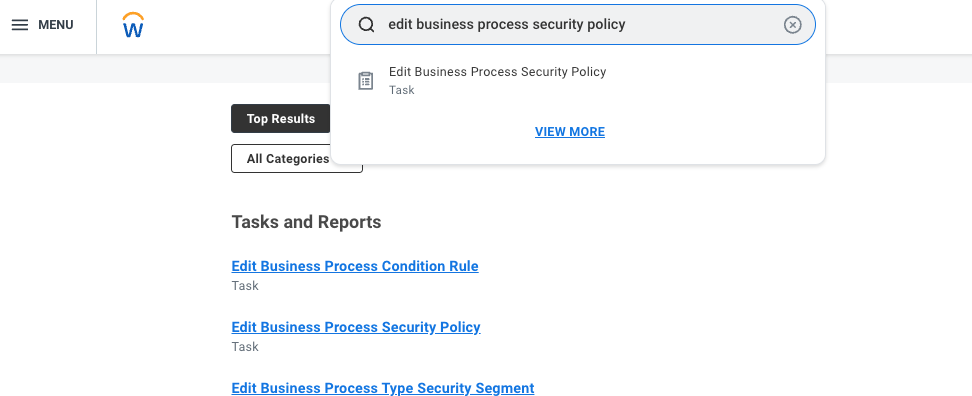
- In the top search bar, type Edit Business Process Security Policy.
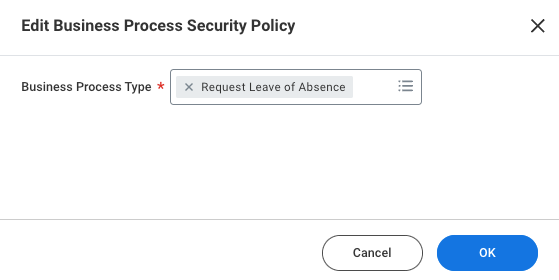
- Under Business Process Type, select Request Leave of Absence and click OK.
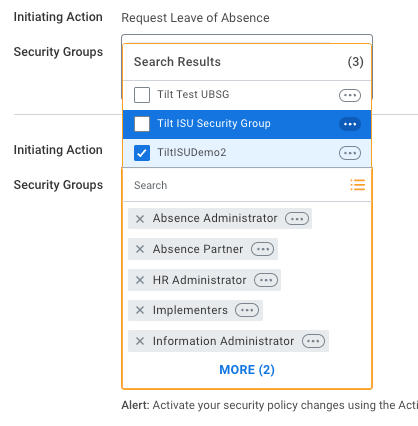
- Add the Tilt ISU to these Business Processes, then click OK:
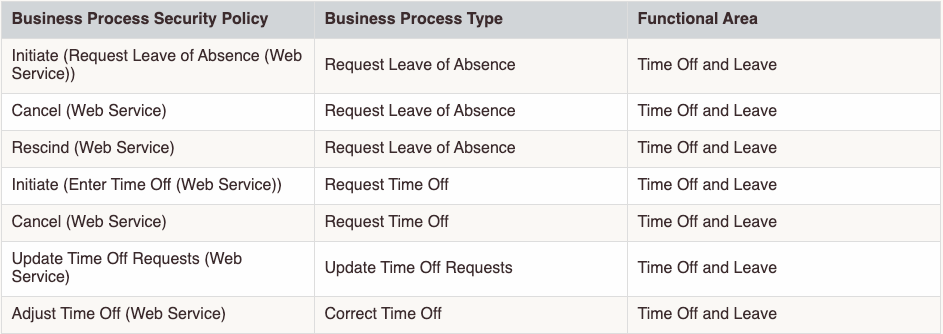
- Initiating Action: Request Leave of Absence (Web Service)
- Initiating Action: Import Request Leave of Absence Events (WS Background Process)
- Action: Cancel (Web Service)
- Action: Rescind (Web Service)
- Repeat for Business Process Type: Request Time Off. Add the Tilt ISU to:
- Initiating Action: Enter Time Off (Web Service)
- Action: Cancel (Web Service)
- Repeat for Business Process Type: Update Time Off Requests. Add the Tilt ISU to:
- Rescind (Web Service)
- Repeat for Business Process Type: Correct Time Off. Add the Tilt ISU to:
- Adjust Time Off (Web Service)
What if it doesn't work
- If leave requests or time off changes made in Tilt aren't showing up in Workday, confirm the ISU was added to all four Business Process Security Policies above, not just the domain policy.
- If you're unsure whether you use 2-way integration, check with your CSM before spending time on this setup — it's not needed for standard one-way accounts.
Limits and exceptions
- This is additive — it doesn't replace the one-way integration permissions. You need both sets.
- These permissions only cover leave and time-off pushback (Request Leave of Absence, Request Time Off, Update Time Off Requests, Correct Time Off). They don't grant Tilt write access to any other Workday data.
Related questions
- What permissions does Tilt's Integration System User need in Workday?
- How do I activate pending security policy changes in Workday?