
Add specific Domain Security Policy and Business Process Security Policy permissions to your existing ISSG (Integration System Security Group) in Workday before continuing setup.
Who this applies to / Prerequisites
- Workday admins configuring integration permissions.
- Requires an existing ISSG (Integration System Security Group) tied to your Tilt ISU (Integration System User).
- Requires Workday admin access to security policies.
Steps
Domain Security Policy
- Add this permission to your existing ISSG: Integration Events — access level Get — functional area Integration.

Business Process Security Policies
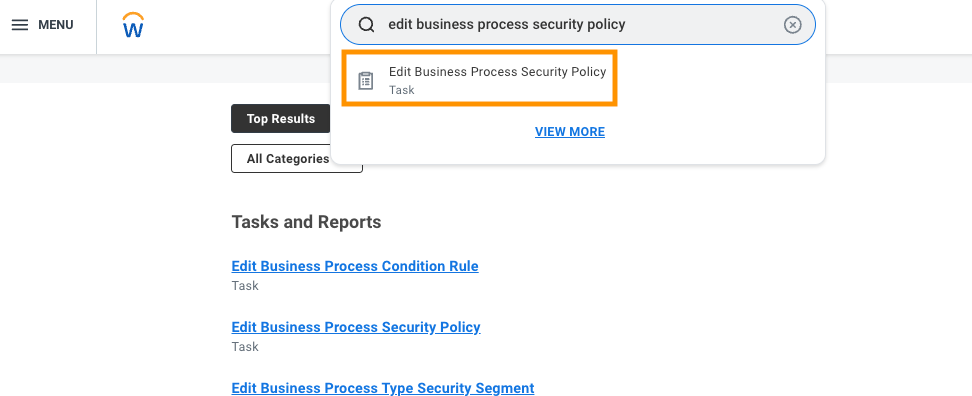
- In the Workday search bar, type Edit Business Process Security Policy.
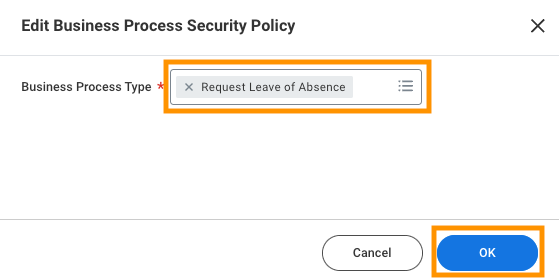
- Under Business Process Type, select Request Leave of Absence, then click OK.
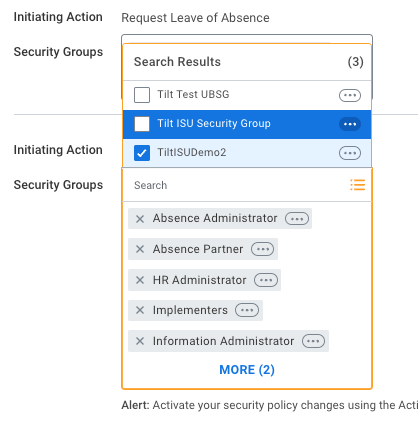
- Add the Tilt ISU to these Business Processes:
- Initiating Action: Request Leave of Absence (Web Service)
- Initiating Action: Import Request Leave of Absence Events (WS Background Process)
- Action: Cancel (Web Service)
- Action: Rescind (Web Service)
- Click OK at the bottom of the page to accept the changes.
- Repeat for Request Time Off: select it under Business Process Type, click OK, then add the Tilt ISU to:
- Initiating Action: Enter Time Off (Web Service)
- Action: Cancel (Web Service)
- Repeat for Update Time Off Requests: select it, click OK, then add the Tilt ISU to:
- Rescind (Web Service)
- Repeat for Correct Time Off: select it, click OK, then add the Tilt ISU to:
- Adjust Time Off (Web Service)
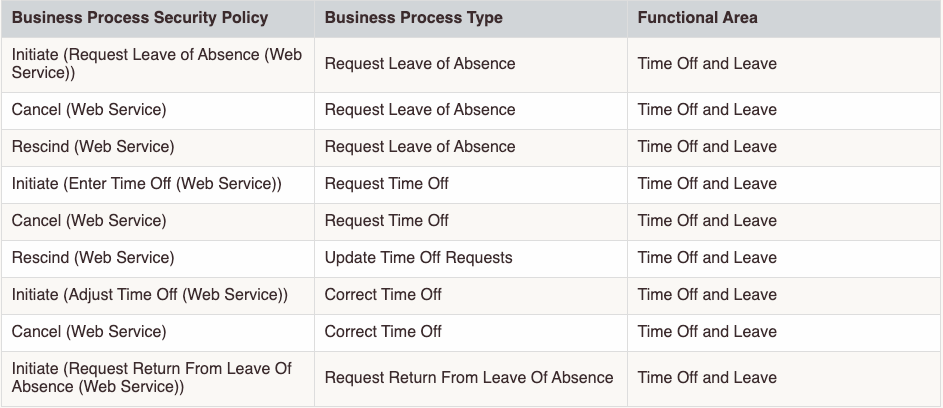
Click OK to accept the changes.
What if it doesn't work
- If you can't find Edit Business Process Security Policy in the search bar, confirm your Workday user role has access to the Business Process Framework.
- If changes don't seem to save, make sure you clicked OK at the bottom of each individual screen, not just within a section.
- If you're unsure which group is your ISSG, check the group tied to your Tilt ISU from the 1-way integration setup.
Limits and exceptions
- These permissions must be added to your existing ISSG — don't create a new security group for this.
- Every Business Process listed is required. Skipping any of them can prevent Tilt from creating, canceling, rescinding, or correcting leave and time off requests in Workday.
- This step doesn't enable anything in Tilt — it only grants Workday permissions. You still need to complete setup in Tilt afterward.
Related questions
- What do I need before I set up the Workday 2-way integration?
- How do I configure my Workday leave types for the Tilt integration?
- How do I turn on the leave data push in Tilt?