
Connect Paycor to Tilt from your HR dashboard's Integrations page. Once you authorize the connection in Paycor, Tilt automatically imports your employee data within 20-30 minutes.
Who this applies to / Prerequisites
- You need HR Admin access to your company's Tilt account.
- You need Admin access to your company's Paycor account.
- This setup is for HR Admins only — employees can't connect or manage this integration.
Steps
- Log in to Tilt and go to your HR dashboard.
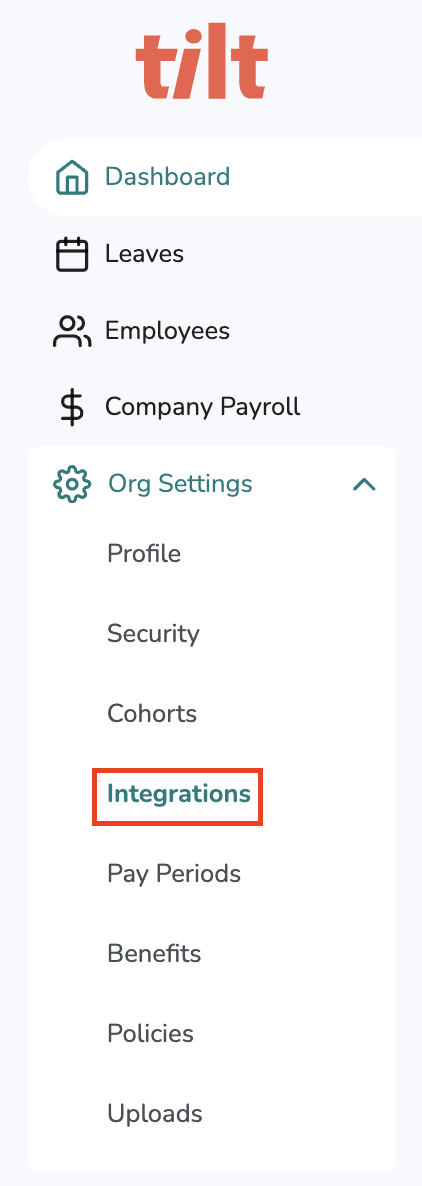
- Click Org Settings in the left-hand navigation menu.
- Select the Integrations tab from the drop-down menu.
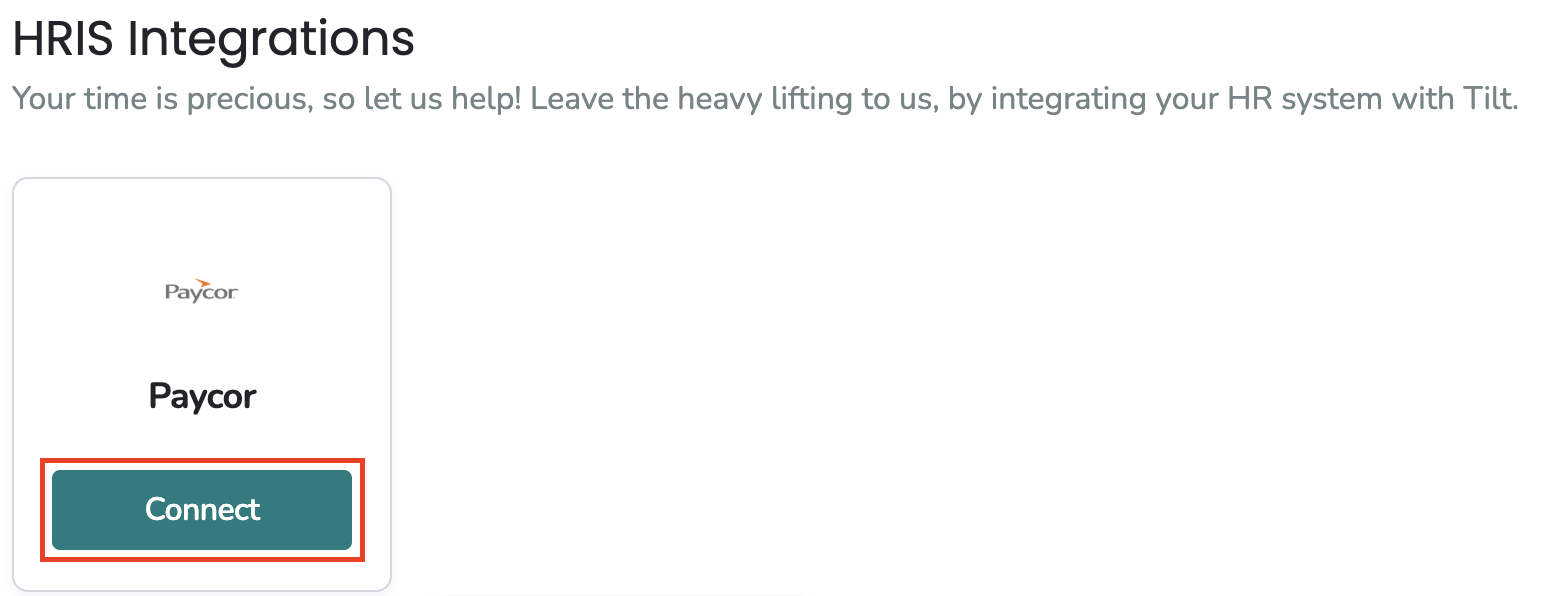
- On the Integrations page, find the Paycor icon and click Connect.
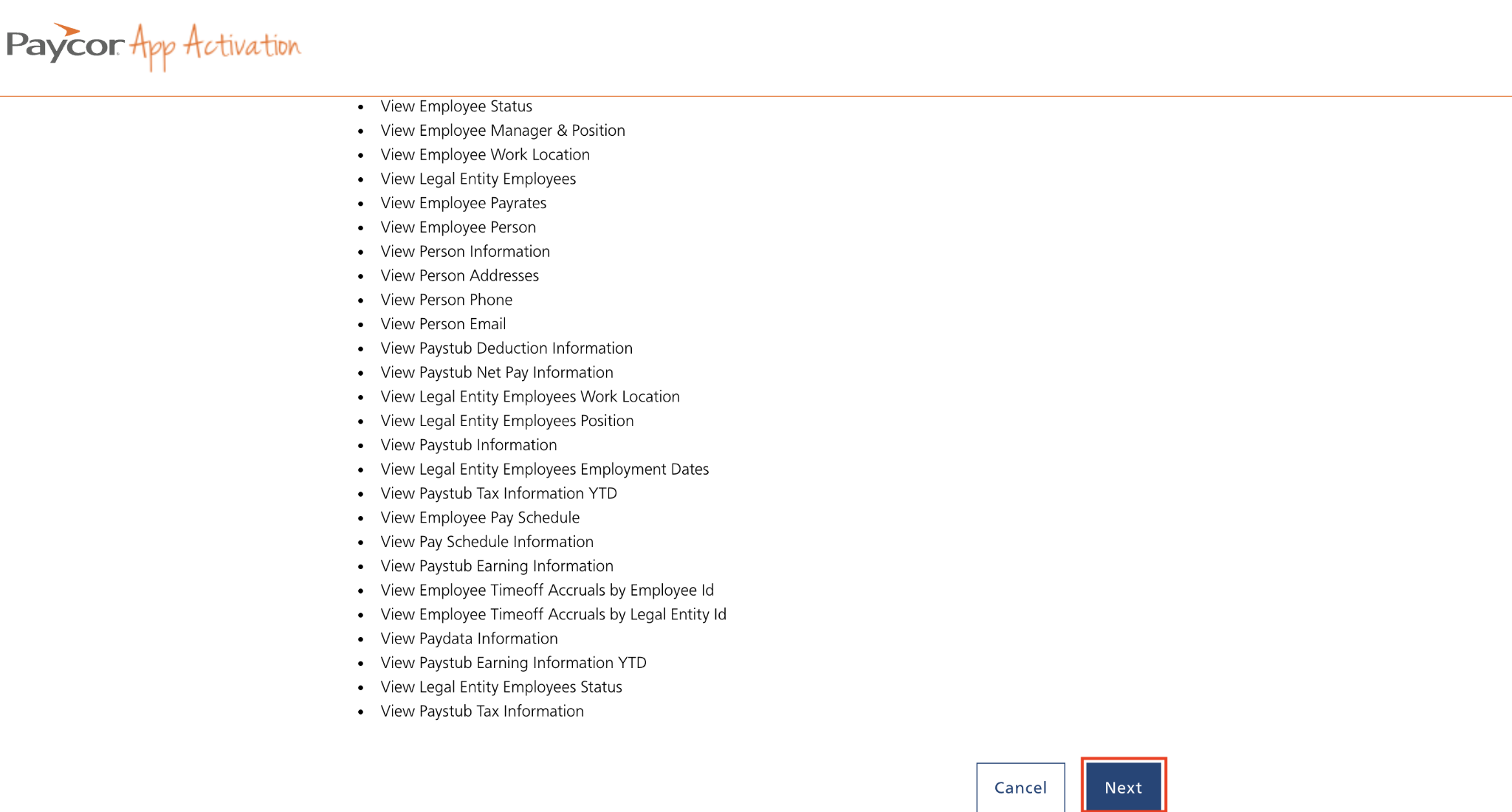
- Tilt redirects you to a page in Paycor. Review the information Tilt will collect, then click Next.
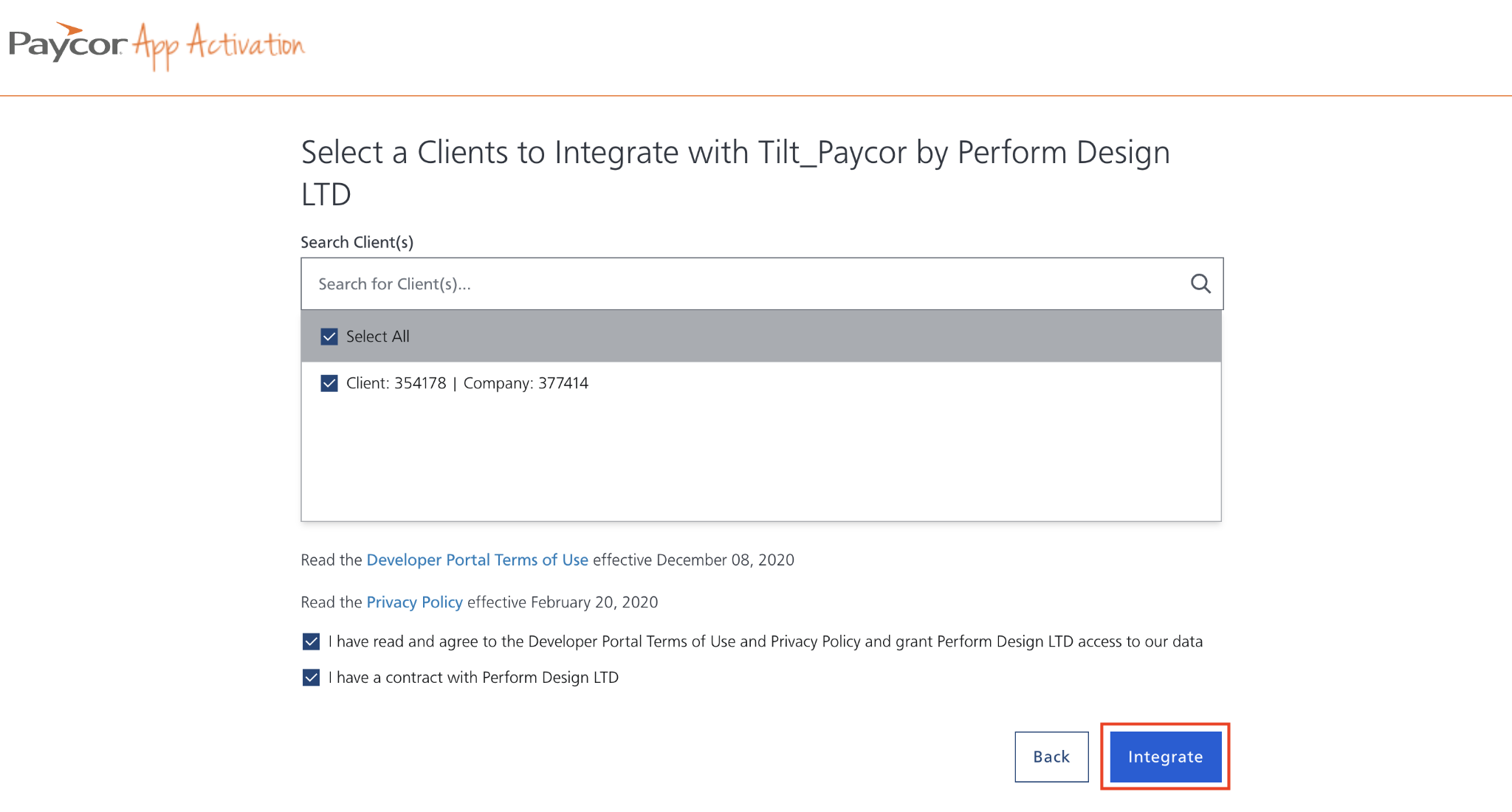
- Select the Paycor client you want to integrate with Tilt, review the terms and conditions, then click Integrate.
- Wait to be redirected back to Tilt. The integration now processes in the background — check back in 20-30 minutes to confirm your employee data has updated.
What if it doesn't work
- If your data hasn't updated after 30 minutes, contact Tilt Support.
- If you don't see the Paycor icon on the Integrations page, confirm you have HR Admin access in Tilt. If you're not sure, check with your Tilt account admin.
- If you can't get past the authorization screen in Paycor, confirm you have Admin access to your company's Paycor account.
- If you started the setup and want to redo it, contact Tilt Support before reconnecting — the article doesn't cover what happens if you run the connection process twice.
Limits and exceptions
- Only HR Admins can connect or manage the Paycor integration. Employees don't have access to this setup.
- You need admin-level access on both Paycor and Tilt — standard user access on either side won't work.
- The connection process runs through Paycor's own authorization screen. Tilt doesn't complete setup without that step.
Related questions
- What information does Paycor share with Tilt?