
You connect Tilt to UKG Pro or Ready from your Tilt Integrations settings using an API key from UKG — once connected, your employee data starts flowing into Tilt automatically.
Who this applies to / Prerequisites
- You have the HR Admin role in Tilt.
- You have an administrator role in UKG Pro or UKG Ready.
- You have your UKG Application Key, Client ID, and Client Secret. UKG provides these — ask your UKG administrator if you don't have them yet.
- Your organization hasn't connected Tilt and UKG before (this is the first-time setup — if you've already connected once, see "How do I keep my Tilt and UKG connection up to date, and what do I do if it stops working?").
Steps
- Log into Tilt with your HR Admin account.
- Click Org Settings, then select Integrations.
- Click the Merge tile and find UKG.
- Confirm you're logged in with an administrator role in UKG.
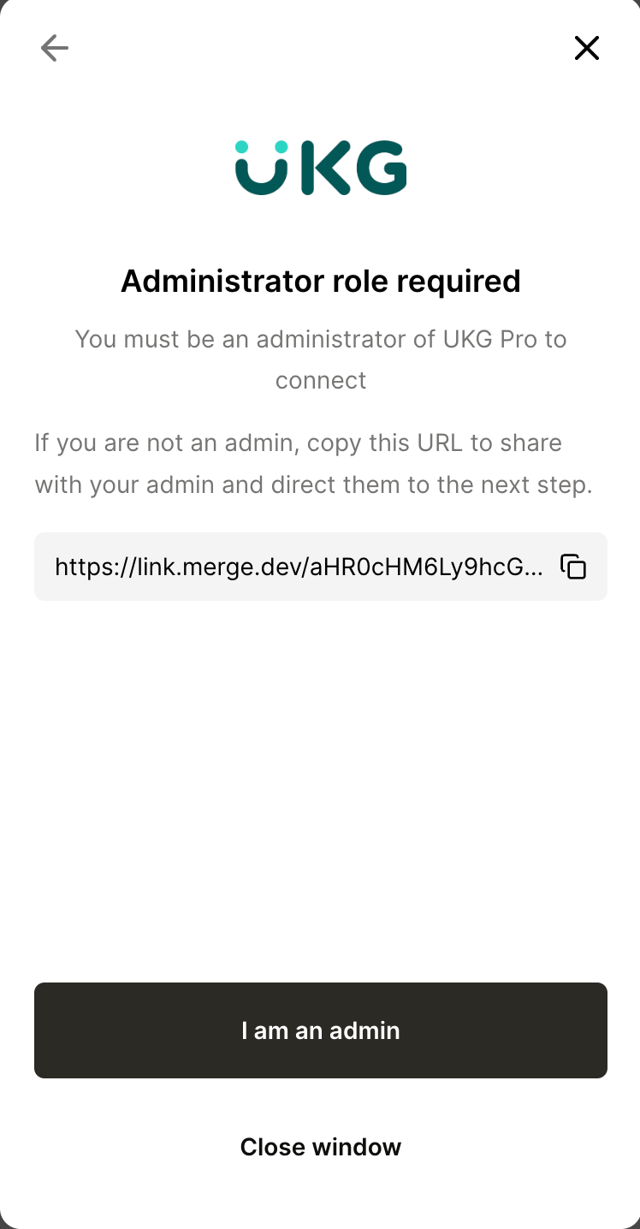
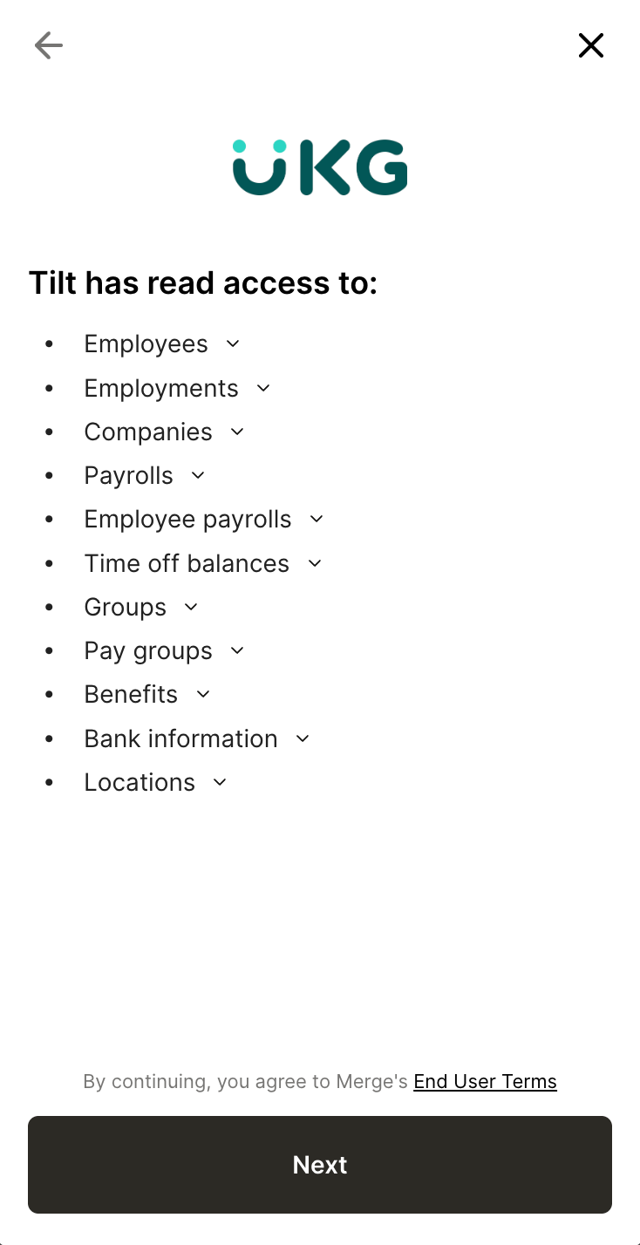
- Review the data Tilt will have access to, then click Next.
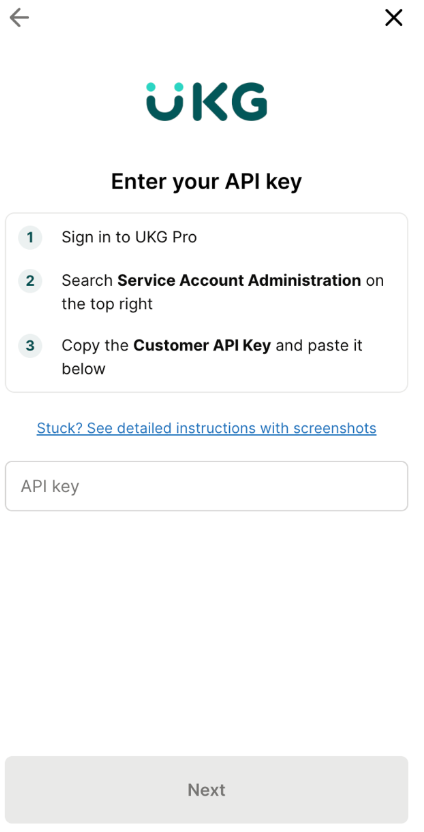
- Enter your UKG API key and click Next. If you don't know where to find your API key, Client ID, or Client Secret, follow UKG's instructions for linking your account.
- Wait for the connection to complete. Your employee data starts flowing into Tilt automatically — no further action needed.
What if it doesn't work
- If you don't see new employee data in Tilt within a few hours of connecting, contact your Tilt Customer Success team.
- If you get an error entering your API key, double-check your Application Key, Client ID, and Client Secret against what UKG gave you — a typo or expired credential is the most common cause.
- If you can't complete the connection because you don't have an administrator role in UKG, ask your UKG administrator to either complete the connection or grant you admin access first.
Limits and exceptions
- The connection is one-way: data flows from UKG into Tilt. Tilt doesn't send data back to UKG.
- Connecting the integration doesn't set up pay schedules or pay history in Tilt — you still handle those separately (see the related article on keeping your connection up to date).
- This is a one-time setup. You don't need to repeat these steps for routine daily updates — see the related article for how ongoing syncing and reconnecting work.
Related questions
- How do I keep my Tilt and UKG connection up to date, and what do I do if it stops working?
- Where do I find my UKG API key, Client ID, and Client Secret? (not yet its own Tilt article — see Flags)
- What is the HR Admin role in Tilt, and how do I get it? (not yet its own Tilt article — see Flags)