
Connect BambooHR to Tilt from Org Settings, either by logging in with your BambooHR credentials or by entering an API key. Once you connect, your employee data starts flowing into Tilt within a few hours.
Who this applies to / Prerequisites
- You use BambooHR as your company's HRIS.
- You're setting up the Tilt–BambooHR integration for the first time.
- You have an HR Admin role in Tilt.
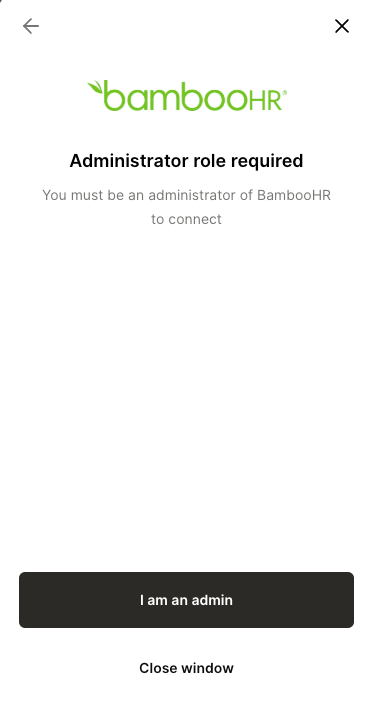
- You have an Administrator role in BambooHR.
- You know your BambooHR subdomain (e.g., yourcompany.bamboohr.com).
- If you're connecting with an API key instead of logging in, you have your BambooHR Application Key, Client ID, and Client Secret ready — BambooHR provides these to you.
Steps
- Log into Tilt as an HR Admin.
- Click Org Settings, then select Integrations.
- Click the Merge tile and find BambooHR.
- Choose how you want to connect: Use my credentials (recommended) or Use your API key or access token.
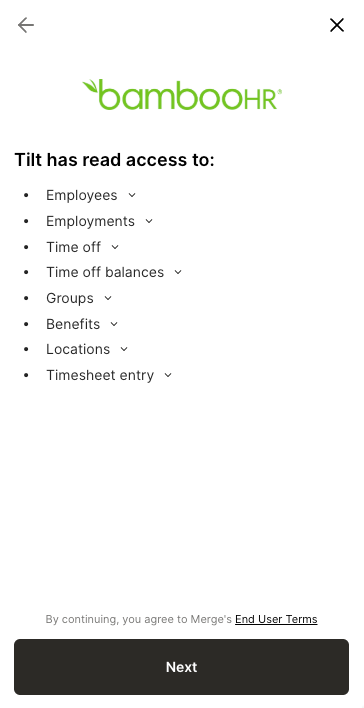
- Confirm you hold an Administrator role in BambooHR, then review the data Tilt will have access to and click Next.
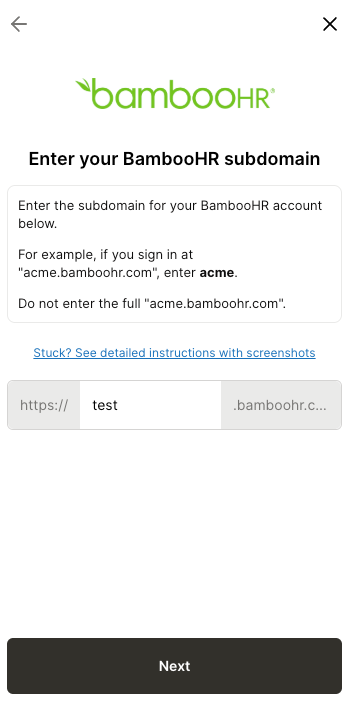
- Enter your BambooHR subdomain and click Next.
- Finish based on the method you chose in step 4:
- Credentials: A new window opens — log into BambooHR there to complete the connection.
- API key: Enter your API key when prompted.
- Your employee data starts flowing into Tilt once you complete the connection. Give it a few hours to show up.
What if it doesn't work
- No new data in Tilt after a few hours? Contact Tilt Support — don't wait it out, they can check the connection status for you.
- Credentials expired, or BambooHR added new scopes? Click Relink (this button appears after your first successful connection) to reconnect without starting over.
- Getting an error while connecting? The Merge connection screen shows a specific error message — copy the exact wording and send it to Tilt Support.
- Don't see the Integrations option in Org Settings? You need the HR Admin role in Tilt — other roles don't have access to this menu.
Limits and exceptions
- This is a one-way sync: data flows from BambooHR into Tilt only. Tilt can't push changes back into BambooHR.
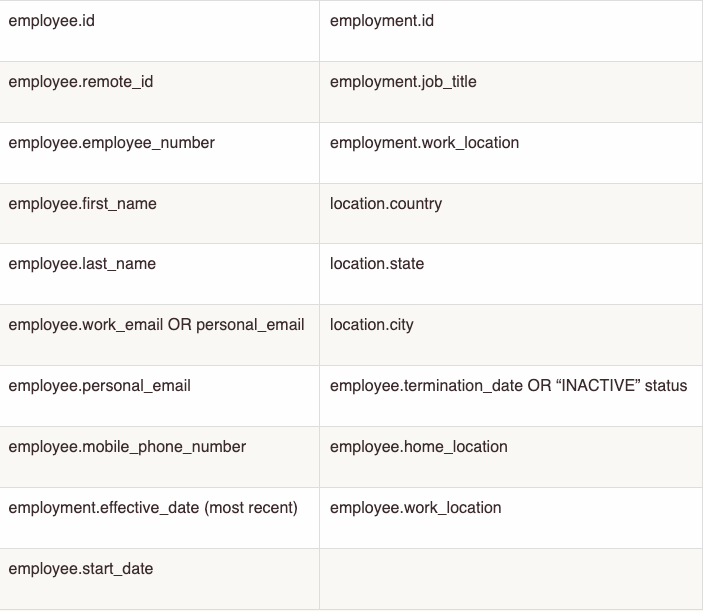
- Tilt only pulls the fields needed for leave eligibility and pay calculations. It does not collect or store Social Security numbers, dates of birth, or street addresses — Tilt stores city and state instead.
- Data updates once a day, not in real time. A change made in BambooHR today appears in Tilt on the next daily sync, not immediately.
- If an employee is already on an active leave, your Leave Specialist gets notified automatically of any BambooHR changes that could affect their eligibility or pay — you don't need to flag these manually.
- This integration doesn't pull in pay history. See "What does the Tilt–BambooHR integration cover, and what do I still have to do manually?" for what that means for your team.
Related questions
- What does the Tilt–BambooHR integration cover, and what do I still have to do manually?