
You create a dedicated Integration System User (ISU) — a service account, not a real employee — in Workday for Tilt to connect through.
Who this applies to / Prerequisites
- Workday admins setting up the Tilt integration.
- Admin access in Workday.
- Contact Workday support or the Workday Resource Center directly if you have questions specific to ISU setup in Workday — Tilt Support can't answer Workday-configuration questions outside of what's documented here.
Steps
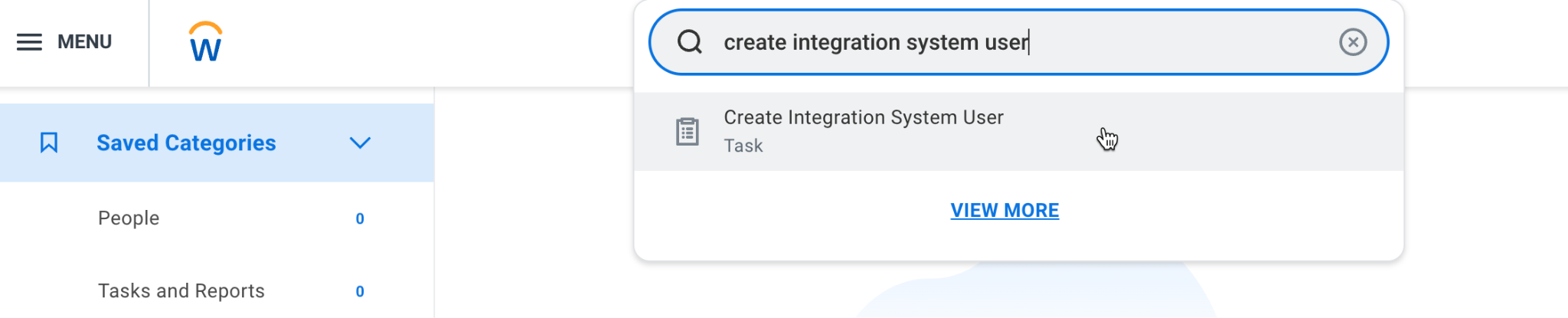
- In Workday, type Create Integration System User in the top search bar and select the task from the dropdown.
- On the Create Integration System User page, enter the account information.
- Create a username and password for the ISU.
- Leave the Require New Password at Next Sign In box unchecked.
- Set Session Timeout Minutes to 0.
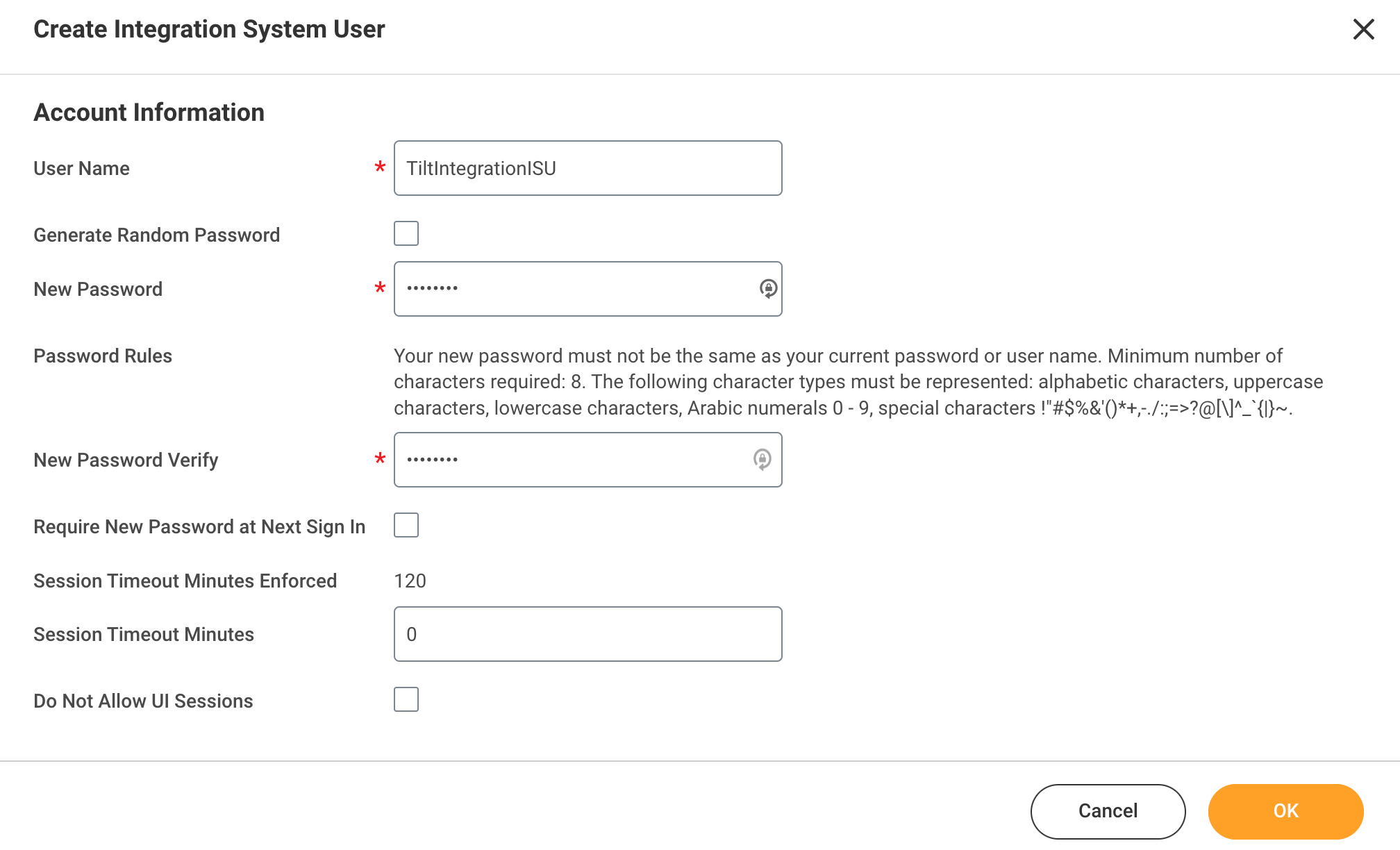
- Click OK.
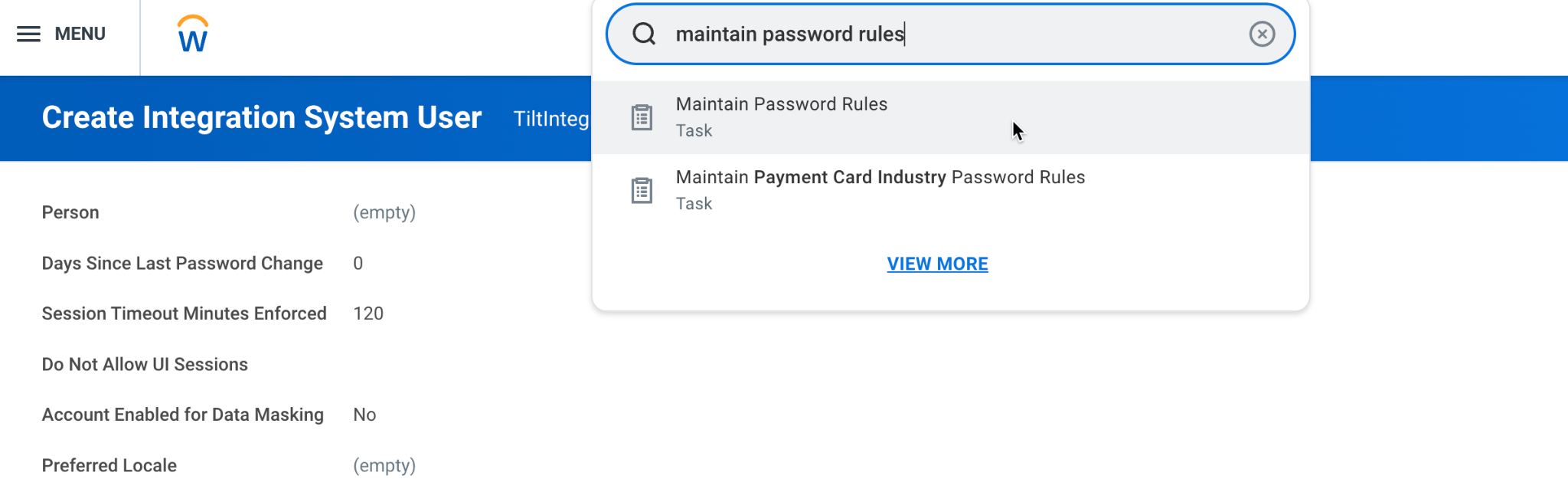
- Type Maintain Password Rules in the top search bar and select the task from the dropdown.
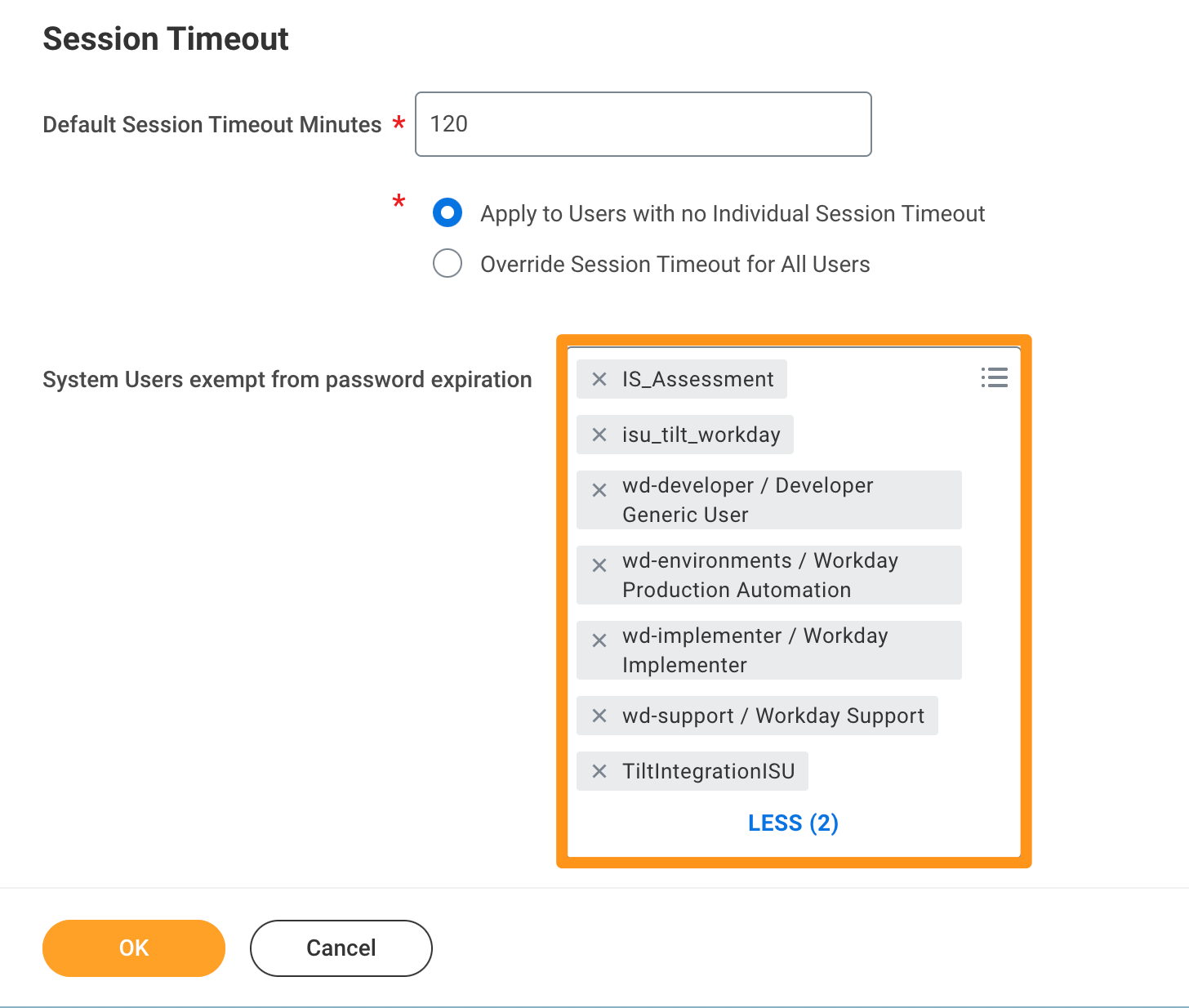
- Add the new ISU to the System Users exempt from password expiration field, then click OK. This keeps the ISU's password from expiring and breaking the connection later.
What if it doesn't work
- If you can't find the "Create Integration System User" task, confirm you have the right admin permissions in Workday — this is a Workday permissions issue, not a Tilt one.
- If the ISU's password expires later and the integration stops working, check that the ISU was added to the password-expiration-exempt list in step 8.
Limits and exceptions
- You can optionally check Do Not Allow UI Sessions on the ISU — this is allowed but not required.
- This ISU is a service account. Don't use it as a login for an actual person.
- This step only creates the user — it doesn't grant any permissions yet. Permissions are set up in a later step.
Related questions
- How do I create a security group and assign the ISU in Workday?
- What permissions does Tilt's Integration System User need in Workday?