
Quick answer
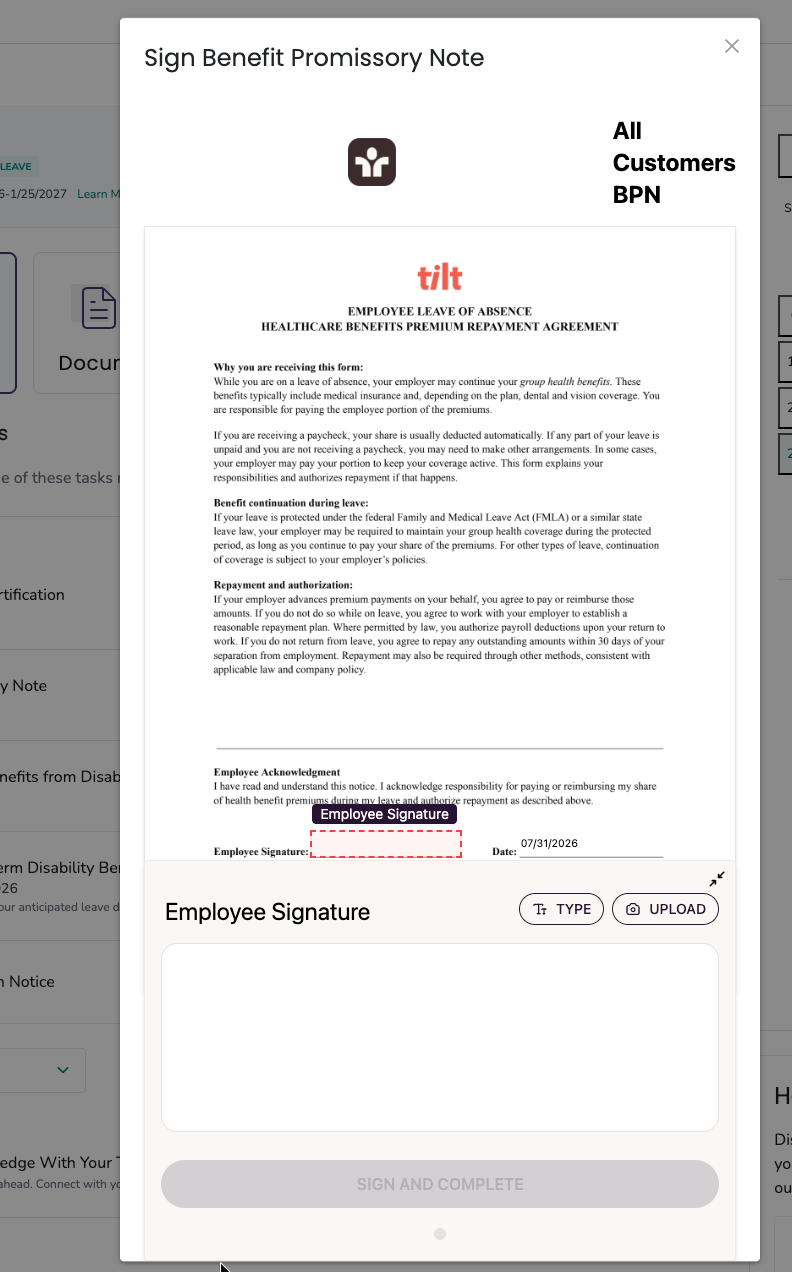
Some documents can be filled out and signed inside Tilt without uploading anything. When one of these documents is on your leave plan, you'll see a FILL OUT button. Click it to open a signing window, complete the fields, add your signature, and click SIGN AND COMPLETE.
Who this applies to / Prerequisites
- You are an employee at a Tilt customer.
- You have an active leave plan in Tilt.
- One or more of your document requirements support the in-Tilt fill-out flow.
Steps
- Log into Tilt.
- Open your leave plan from My Leaves.
- Find the document you need to complete. It'll show a FILL OUT button (in either the Documents section or as a To-Do item).
- Click FILL OUT. A window opens showing the document.
- Complete any required fields on the form.
- Click SIGN AND COMPLETE.
- The signed document saves to your leave plan automatically, and a notification is sent to your Leave Specialist.

What if it doesn't work
- If you don't see a FILL OUT button on a document, that document doesn't support in-Tilt signing. Look for UPLOAD or START instead. See How do I upload a document to my leave in Tilt?
- If the signing window won't load, refresh the page and try again. We recommend using the Google Chrome browser when navigating Tilt.
- If SIGN AND COMPLETE is grayed out, make sure you've completed all required fields and added your signature.
- If you need to complete a similar document again later, look for Fill out another on the completed document card.
Limits and exceptions
- Not every document supports the in-Tilt fill-out flow. Which documents work this way varies by document and by company setup.
- When a document uses the FILL OUT flow, there's no option to use a template or upload a scanned copy. The in-Tilt fill-out is the only way to complete that document.
- Your signature is stored with the completed document. You cannot edit or remove it once signed — if you need to redo the signature, click to fill out another.
Related questions
- How do I upload a document to my leave in Tilt?
- How do I view a document Tilt has sent me?
- What do the document statuses in Tilt mean?