
Quick answer
The To-Do Items section of your leave plan lists everything you need to do before, during, and after your leave. It's organized into Required Items (with specific due dates you must complete) and Suggested Items (organized into three phases: Pre-Leave, On Leave, and Return).
Who this applies to / Prerequisites
- You are an employee at a Tilt customer.
- You have an active leave plan in Tilt (Tilt will send you a notification when your plan is ready to view).
Steps
Navigate to your To-Do Items:
- Log into Tilt.
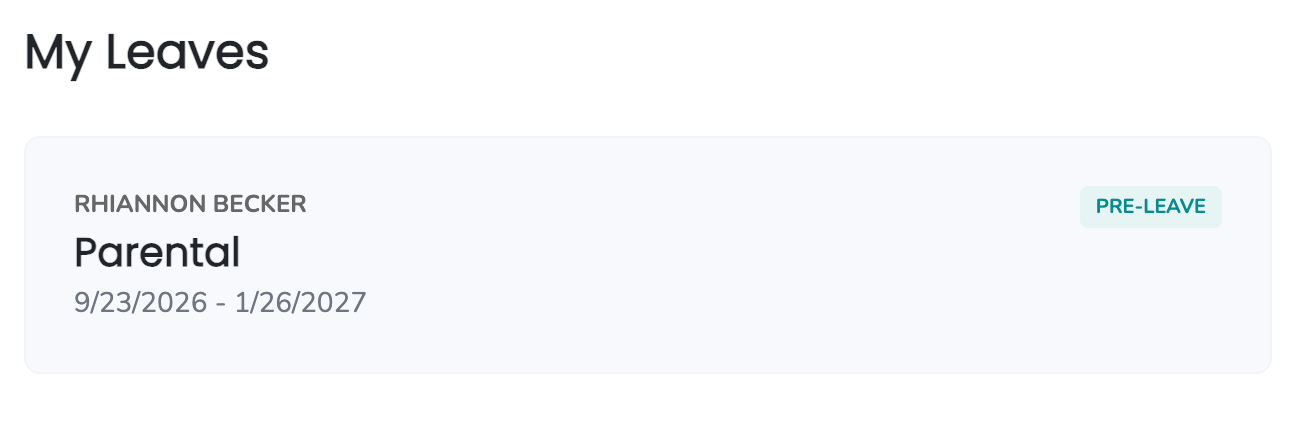
- Open your leave plan from My Leaves.
- Click the To-Do Items card.
Review your Required Items:
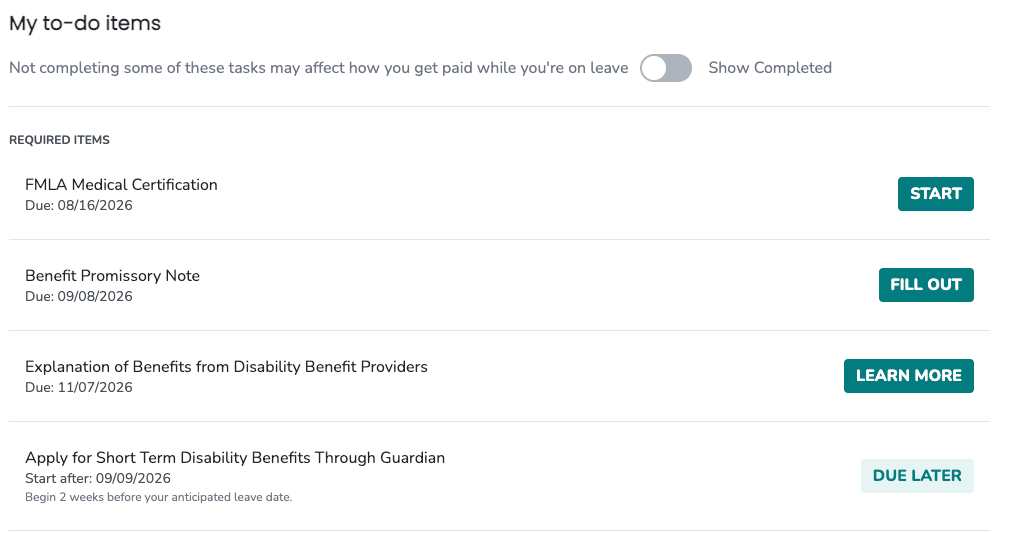
- At the top of the To-Do Items page, you'll see your Required Items with specific start and due dates listed for each.
- If an item's start date is in the future, you can view the details, but you won't be able to take action on it yet.
- Click the item name or the Start button to see the full details.
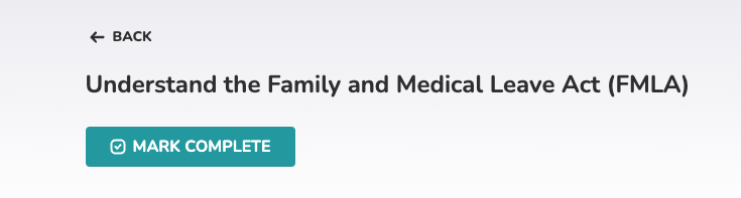
- The expanded view includes instructions for completing the task and a button to mark the item as complete.
Review your Suggested Items:
- Below your Required Items, you'll find your Suggested Items — items that are recommended but not mandatory.
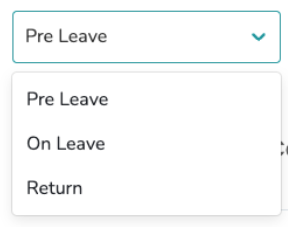
- Suggested Items are organized into three phases of your leave: Pre-Leave, On Leave, and Return.
- Use the drop-down selection field to switch between phases.
- Tilt automatically suggests the phase that matches today's date.
What if it doesn't work
- If a Start button is missing or grayed out, check the item's start date — while you can open the item to review its information, you can only mark complete on items whose start date has passed.
- If you completed an item and it's still showing as incomplete, refresh the page. If it's still there, contact your Leave Specialist.
Limits and exceptions
- Required Items must be completed by their due date. Not completing them can affect how you get paid or your ability to return to work.
- Suggested Items are optional. They're recommendations to help your leave go smoothly, but you're not required to complete them.
- Only Suggested Items are organized by phase (Pre-Leave, On Leave, Return). Required Items are a single list, not broken into phases.
- Some items may require you to upload a document. See How do I upload a document to my leave in Tilt?
- Some items may require you to fill out and sign a document directly in Tilt. See How do I fill out and sign a document directly in Tilt?
Related questions
- Navigating Your Leave Plan
- How do I upload a document to my leave in Tilt?
- How do I fill out and sign a document directly in Tilt?
- What do the document statuses in Tilt mean?