
Quick answer
Every Tilt customer has a unique subdomain — for example, acme.hellotilt.com. If you don't know yours, go to Tilt's Find Your Subdomain page. Enter your work or personal email, and Tilt will email you your company's Tilt login URL to both your work and personal email addresses on file.
Who this applies to / Prerequisites
- You are trying to log into Tilt for the first time.
- Your HR team has already added you to Tilt.
- You do not know your company's Tilt subdomain.
Steps
- Go to https://login.hellotilt.com/find-subdomain.
- Enter your work email address.
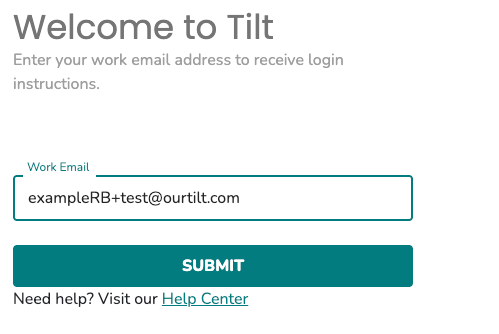
- If your work email doesn't return a result, try your personal email.
- Tilt will email you your company's Tilt login URL at both your work and personal email addresses on file. Check both inboxes.
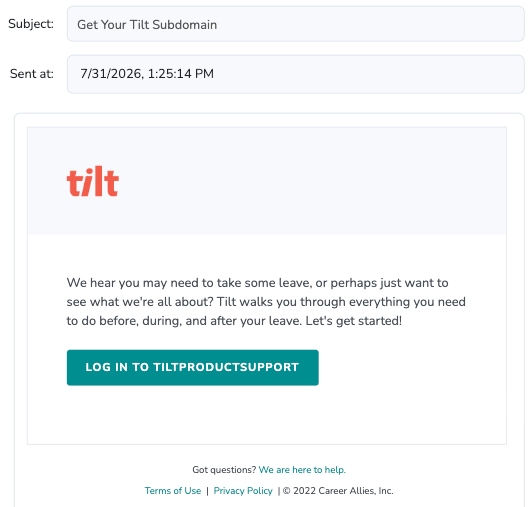
- Bookmark the URL for future logins.
What if it doesn't work
- If neither work nor personal email returns a result, contact your HR team to confirm which email address they used to create your Tilt account.
- If you didn't receive the subdomain email, check your spam and junk folders.
Limits and exceptions
- login.hellotilt.com is not your login page. You must use the unique subdomain assigned to your company ([yourcompany].hellotilt.com/login).
- If your account was set up with an email address you no longer have access to, contact your HR team to update it in Tilt.
Related questions
- How do I activate my Tilt account?
- Why am I not receiving emails from Tilt?