
For each Tilt leave type, add the matching Workday Leave Type ID and Time Off Type ID so Tilt knows where to push leave data.
Who this applies to / Prerequisites
- Tilt admins completing 2-way integration setup.
- You've already turned on the leave data sync in Tilt.
- You have your Workday Leave Type IDs and Time Off Type IDs ready.
Steps
- In Tilt's Workday Data Mapping tab, click to expand a Tilt leave type.
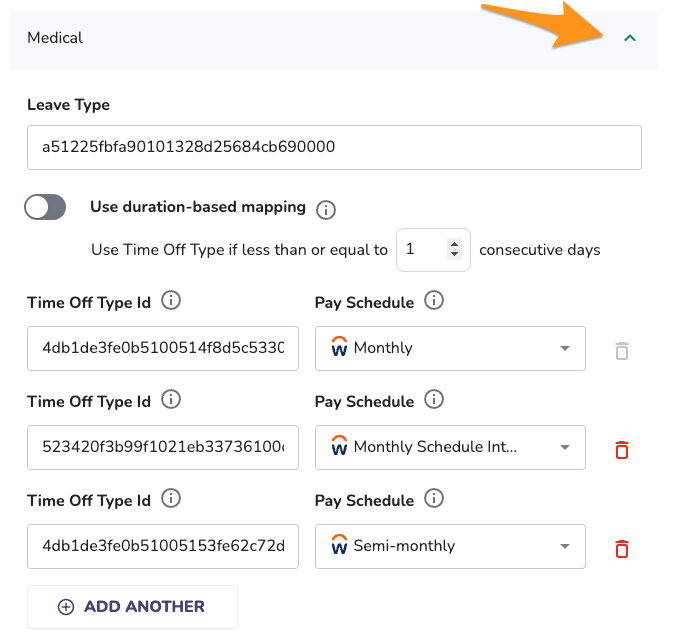
- In the Leave Type field, enter the Workday leave type ID.
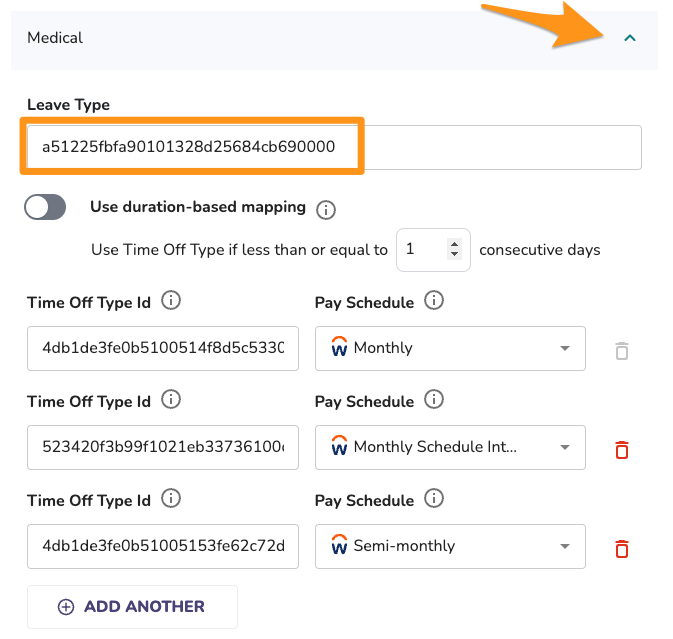
- Decide whether to use duration-based mapping:
- Leave the toggle off, and Tilt pushes to a Time Off Type for leave blocks of one day or less, and to a Leave Type for anything longer.
- Turn the toggle on to set your own day threshold for when Tilt switches from pushing to a Time Off Type to pushing to a Leave Type. Three days is a common threshold, but you can set any number that fits your business.

- For each active, regular pay schedule in Workday, add a Time Off Type ID.
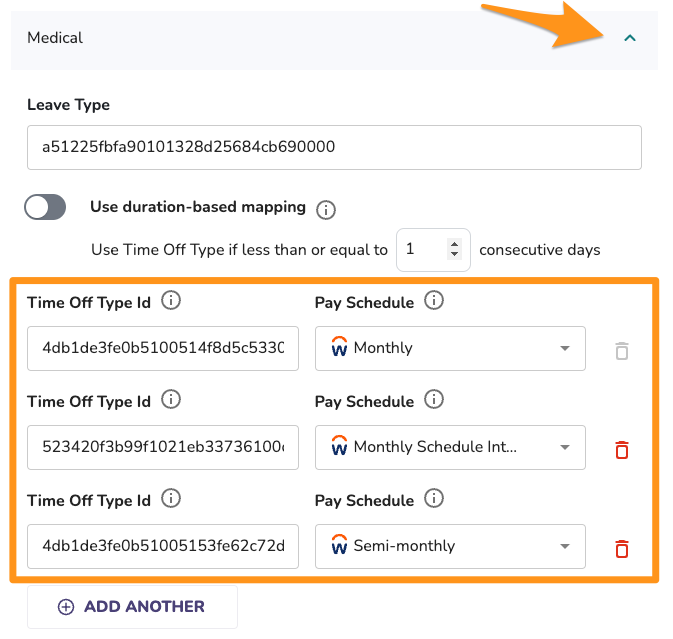
- Repeat steps 1–4 for every Tilt leave type you want to sync.
What if it doesn't work
- If you can't save your configuration, check that you've added a Time Off Type ID for every active, regular pay schedule — this is required, not optional.
- If leave time isn't showing up in Workday, confirm the leave type mapping and the relevant Time Off Type ID are both filled in.
- If past leave isn't appearing in Workday, that's expected — see Limits and exceptions below.
Limits and exceptions
- You must set a Time Off Type ID for every active, regular pay schedule — Tilt won't let you save the configuration without it.
- Tilt only pushes current and upcoming leave time to Workday once you turn on the integration and finish mapping. It doesn't push leave time for past, already-completed blocks of leave.
- The duration threshold for switching between Time Off Type and Leave Type is up to you — there's no fixed default number other than the built-in one-day rule when duration-based mapping is off.
Related questions
- How do I turn on the leave data push in Tilt?
- How do I find the Workday integration ID for a leave type?
- How do I find the Workday integration ID for a time off type?
- How many Workday leave types can I map to each Tilt leave type?