
Overview
The Policies page provides an overview of your company's leave policies and has two areas: Company Policy Settings (general rules, toggles, and required choices that directly affect how leaves are built) and Policy Display Details (names, descriptions, and display settings for each benefit, plus the Enable Leave Planner toggle). After implementation, do not change Policies settings yourself — contact your Customer Success Manager instead.
Who this applies to / Prerequisites- You must be an HR user to manage all Org Settings.
- Your company must have completed (or be actively in) Tilt implementation.
Policies and Leave Planner
The Policies page provides an overview of your company's leave policies and Leave Planner.
Steps- Click Org Settings, then Policies.
- Under Company Policy Settings, answer the required policy questions (medical certification, proof of bonding, return-to-work timing, benefits promissory note, updated pay rates during leave, holiday recognition, and your leave-related policies with details).
- Under Policy Display Details, customize the name, description, and display settings for each benefit.
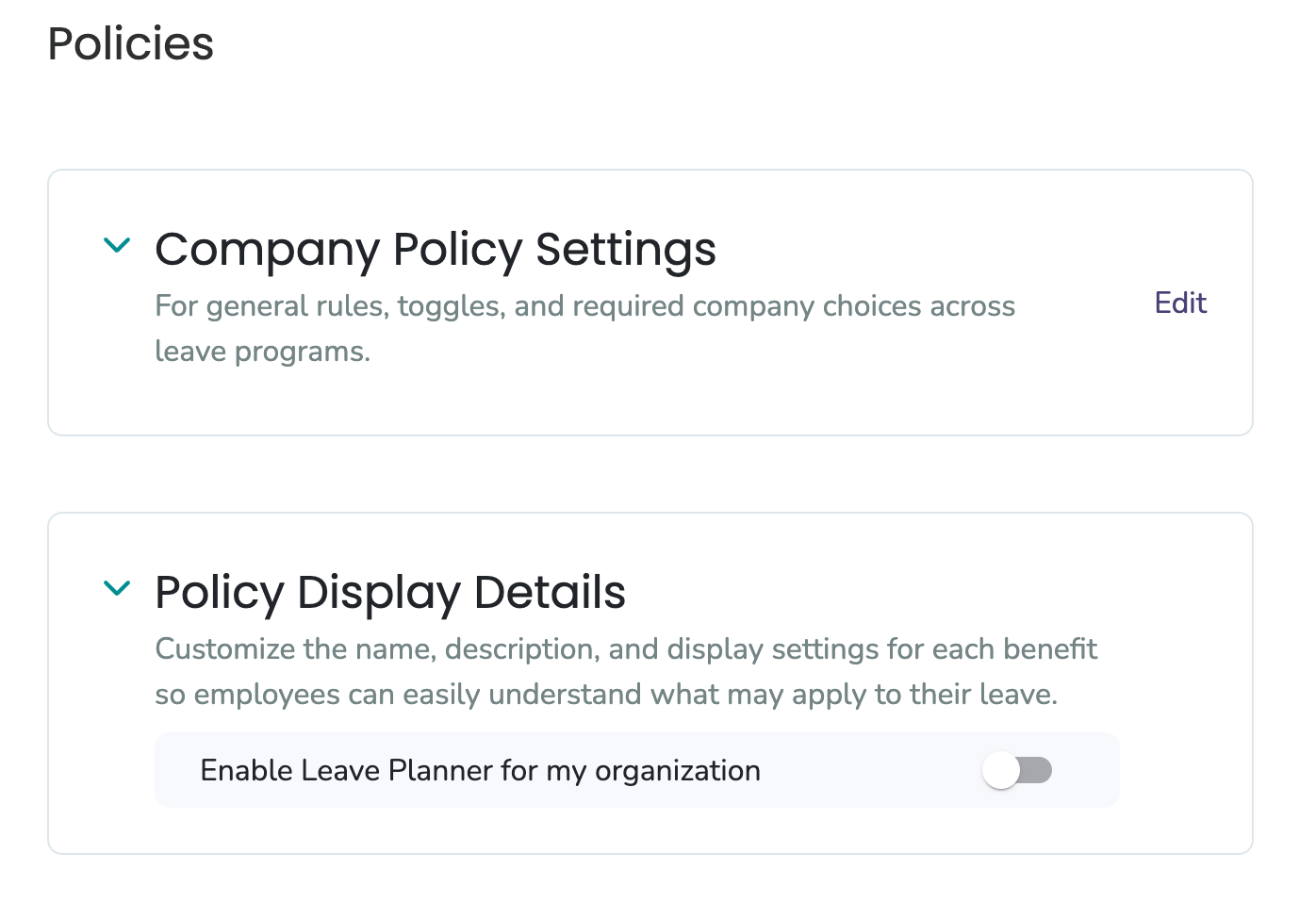
Company Policy Settings
This is where you set general rules, toggles, and required company choices across leave programs. These answers directly impact how your leaves are built, so they're very important. Questions include:
- Do you require a Medical Certification for birthing parents with routine pregnancies?
- Do you require proof of bonding for parental leaves? (If so, Tilt will ask for proof only when a company parental leave applies.)
- When do you require a return to work for birthing parents?
- When do you require a return to work for continuous medical leave?
- When do you require a Benefits Promissory Note for continuous leaves? (This promissory note obtains the employee's agreement to have their portion of healthcare premiums deducted from pay, or to make arrangements to reimburse you for covering their portion of those premiums after they return to work. In California, employers are required to obtain this written consent in order to make deductions.)
- Should updated pay rates be reflected in pay calculations for employees who are currently on leave?
- Does your company recognize holidays during a leave of absence? (If you answer Yes, you will need to add your company paid holidays using the Add Company Paid Holidays button.)
- Select the leave-related policies you currently have in place, and provide details for each (name, eligibility requirements, whether the leave is paid, and maximum length in weeks).
This is also where you can add your custom policies for use with Leave Planner. Make sure to reach out to your Tilt team to confirm the units are set up correctly.
Policy Display Details
Customize the name, description, and display settings for each benefit so employees can easily understand what may apply to their leave. This is also where you can toggle on Enable Leave Planner for my organization.
Leave Planner allows employees to try out and create their own leave plan before submitting it to Tilt.
- To use Leave Planner, you must have custom pay calculations set up in Tilt. These must be built by your Tilt team.
- If custom pay calculations are not set up, employees cannot use Leave Planner.
- Please reach out to your Implementation Manager or Customer Success Manager to confirm custom pay calculations details.
- The Save button is greyed out in Policies: Required fields marked with a red asterisk may be incomplete, or the acknowledgment checkbox at the bottom of the Policies form may be unchecked.
- Employees can't use Leave Planner: Custom pay calculations must be set up in Tilt by your Tilt team first. If they aren't, the feature will not work for your organization.
- If none of these apply, contact your Customer Success Manager or use the Contact Us option in your Tilt dashboard.
- After you've completed implementation, do not make any changes to Policies settings yourself. Consult your Customer Success Manager so all systems and communications are correctly updated and legal considerations are reviewed.
- If you recognize holidays during a leave of absence, you must add company paid holidays using the Add Company Paid Holidays button.
- In California, employers are required to obtain written consent (the Benefits Promissory Note) in order to make healthcare premium deductions.
- Leave Planner cannot be used without custom pay calculations set up by your Tilt team.
- To add custom policies for use with Leave Planner, reach out to your Tilt team to confirm the units are set up correctly.
- Org Settings: General Overview
- Org Settings Overview: Profile
- Org Settings Overview: Security
- Org Settings Overview: Cohorts
- Org Settings Overview: Integrations
- Org settings Overview: Pay Periods
- Org Settings Overview: Benefits
- Org Settings Overview: Uploads
- Org Settings Overview: Exports