
Quick answer
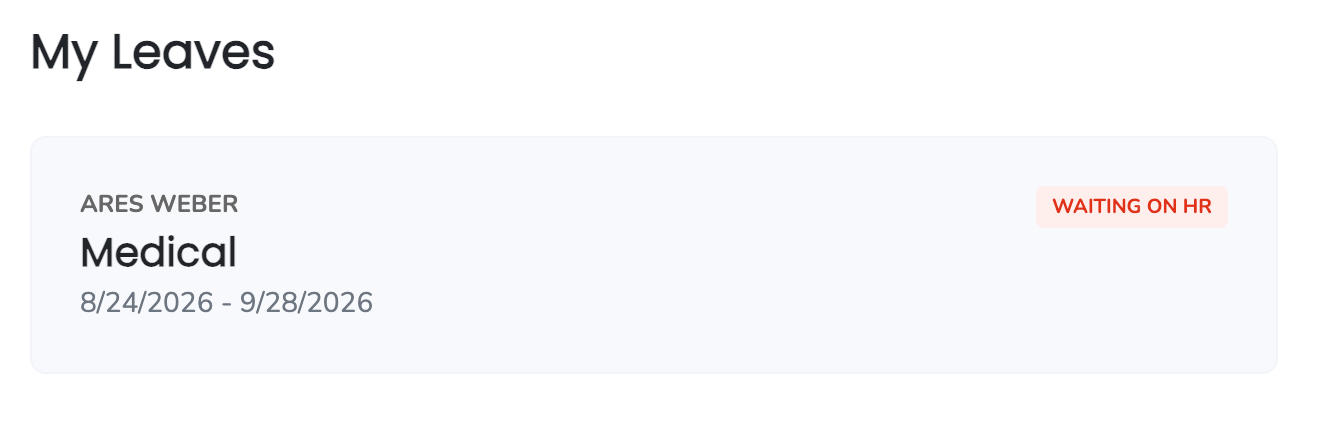
You can update details on your pending leave request from your dashboard, as long as your leave is in the Waiting on HR status. Once your Leave Specialist starts reviewing (status Under Review), you can't make changes until the plan is published.
Who this applies to / Prerequisites
- You are an employee at a Tilt customer.
- You've requested a leave of absence in Tilt.
- Your leave request status is Waiting on HR (not yet Under Review or an active leave plan).
Steps
- Log into Tilt.
- On your dashboard, click the leave card showing the status Waiting on HR.
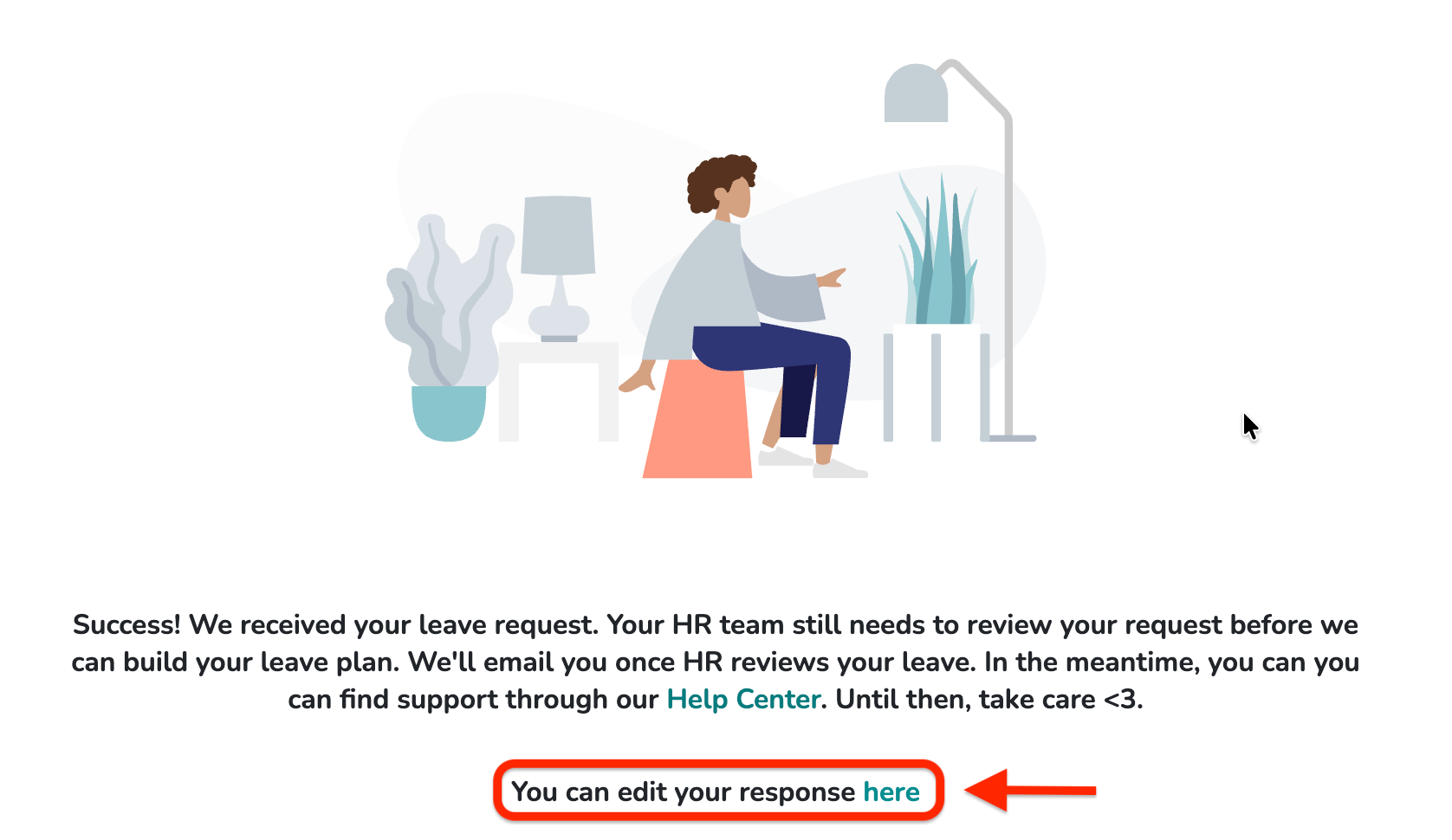
- On the next page, click the word "here" in the center of your screen.
- Make your desired changes. Only a few items on your leave form can be edited from here, including leave dates and your preferences.
- Click Update to save your changes.
What if it doesn't work
- If the banner says Under Review, you can't make changes right now. Your Leave Specialist is actively reviewing your request. You can contact your Leave Specialist directly by contacting Tilt Support.
- If you don't see the leave card on your dashboard, confirm you submitted the leave request in Tilt.
- If the changes you need to make aren't available in the edit form, contact your Leave Specialist directly via Tilt Support. Not every field can be edited from the pending request page.
Limits and exceptions
- Only leaves in Waiting on HR status can be edited from this page.
- Only certain fields are editable — including leave dates and preferences. Fields like employment info, benefits enrollment, and FMLA eligibility questions can't be edited here. To change those, contact your Leave Specialist.
- To make changes after your leave plan is published (active), use the Time Off Calendar for date changes, or edit your account details for personal info. See How do I add or update my leave dates on the Time Off Calendar? and Edit My Account Details.
Related questions
- Edit My Account Details
- How do I add or update my leave dates on the Time Off Calendar?
- Navigating Your Leave Plan