
Quick answer
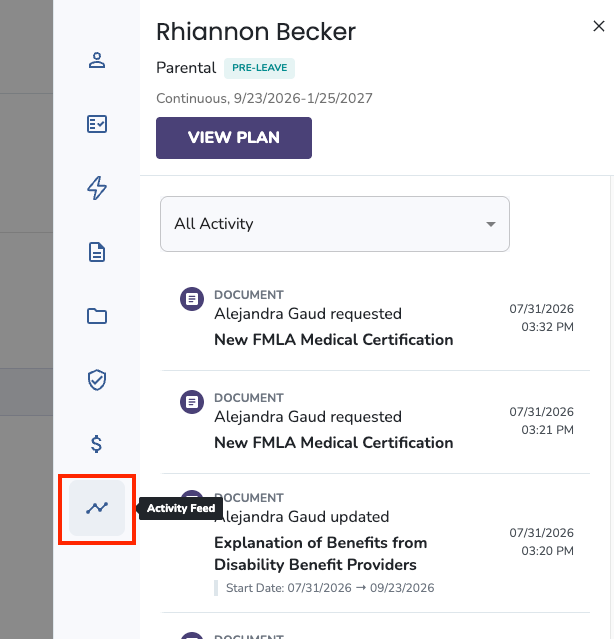
The Leave Activity Feed shows every action taken on an employee's leave plan — notes, messages, document updates, leave history, pay calculations, and time-off updates. You can access it from the Active Leave Plans page (quick view) or from inside the employee's full leave plan.
Who this applies to / Prerequisites
- You are an HR user at a Tilt customer.
- The employee has a leave plan entered in Tilt.
Steps
Quick view from the Active Leave Plans page:
- Log into Tilt as an HR user.
- Click Leaves in the left-hand navigation.
- Use the search filters to locate the leave you want to review.
- Click the leave to expand the right-hand pop-out.
- Click the Activity Feed tab.
From the full leave plan:
- From the Leaves page, click the leave to expand the pop-out.
- Click View Plan.

- Click the Activity Feed tab within the plan.
Read and filter the feed:
- Click any activity to expand it for more details.
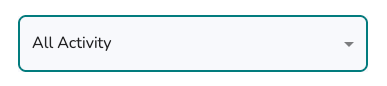
- Use the drop-down selector at the top of the feed to filter by specific activity types.
What if it doesn't work
- If you don't see the Activity Feed tab, confirm you're viewing the right leave. The tab appears only when a leave plan exists.
Limits and exceptions
- The Activity Feed tracks the following types of activity:
|
Activity type |
What it shows |
|
Notes |
Notes your Leave Specialist writes about the leave to share with HR. New notes may appear here. |
|
Messages |
All emails sent from the Tilt platform, both automated and sent by team members. |
|
Documents |
Who took action to update a document and when — including when a document is created, requested, submitted, has its due date changed, or has its status changed (for medical certifications). |
|
Leave History |
Who updated the leave plan and when — including when it was submitted, published by the Leave Specialist, archived, or unarchived. |
|
Pay Calculations |
Who updated a Pay Calculation and when. |
|
Time-Off Updates |
History of leave date changes, including extensions, ending early, and additional time logged during intermittent leave. |
- The Activity Feed is HR-only. Employees and managers don't see this view.
Related questions
- How do I check document status across my company's active leave plans?
- How do I view documents for a specific employee on leave?
- HR Dashboard