
Overview
The Outstanding Items section on your Dashboard lists anything that is missing or not yet completed by an employee — for example, an overdue FMLA Medical Certification or a “Confirm When Your New Family Member Arrives” task. A count badge shows how many items need attention, and overdue items appear in red.
Who this applies to / Prerequisites- You have an HR user role in Tilt.
- You are viewing the Dashboard tab after signing.
Work through Outstanding Items
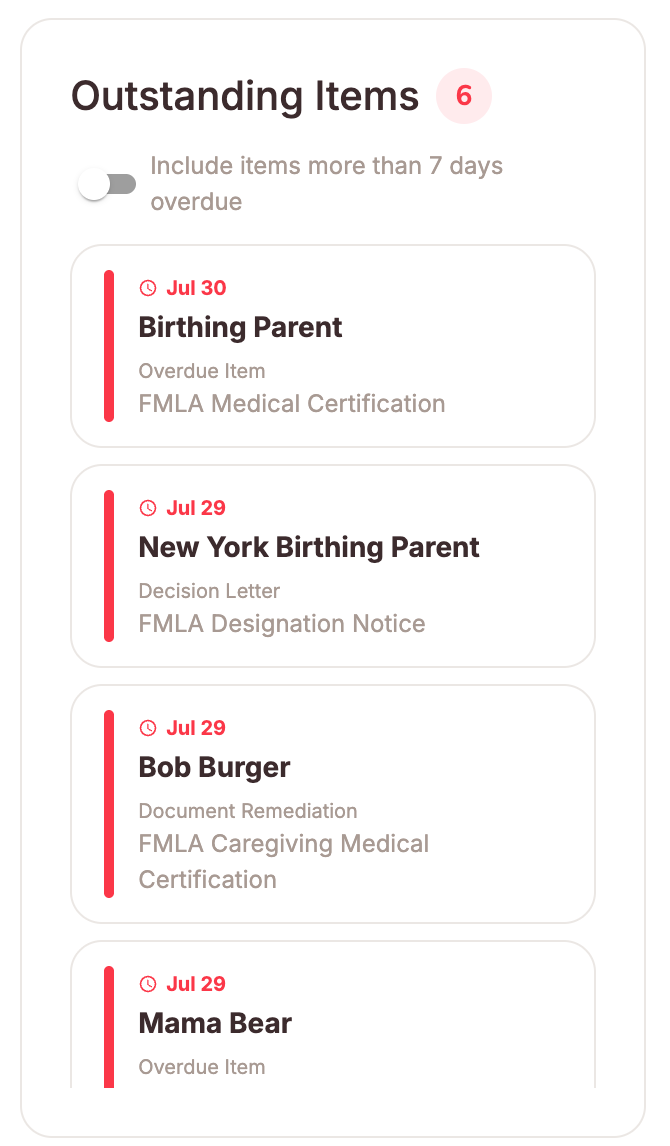
Outstanding Items lists anything that is missing or has not been completed by the employee. For example, an overdue FMLA Medical Certification or a "Confirm When Your New Family Member Arrives" task.
- The count badge next to the section title shows how many items currently need attention
- Each item displays the employee's name, the item that's outstanding, and its due date and overdue items appear in red so they're easy to spot
- Turn on the Include items more than 7 days overdue toggle to also see older overdue items; leave it off to focus on what's recently come due
- An Outstanding Item won’t clear after the employee says they completed it: Refresh the Dashboard first. If the item persists, open the employee’s leave to verify the item’s status, and contact your LSM if it still shows as incomplete.
- By default the list shows recently due items. Older overdue items appear only when the “more than 7 days overdue” toggle is on.
- Submit a Leave Request
- Cancel a Leave Request
- Invite New Users to Tilt
- Resend the Welcome Email to New Users
- Update HR or Payroll Permissions for a User