
Tilt's Integration System User (ISU) needs a specific set of Domain Security Policies granted through the security group you created — these control what employee, staffing, and payroll data Tilt can read.
Who this applies to / Prerequisites
- Workday admins setting up the Tilt integration.
- You've already created the ISU and its security group (see the previous two articles).
Steps
- Type Maintain Permissions for Security Group in the top search bar and select the task from the dropdown.
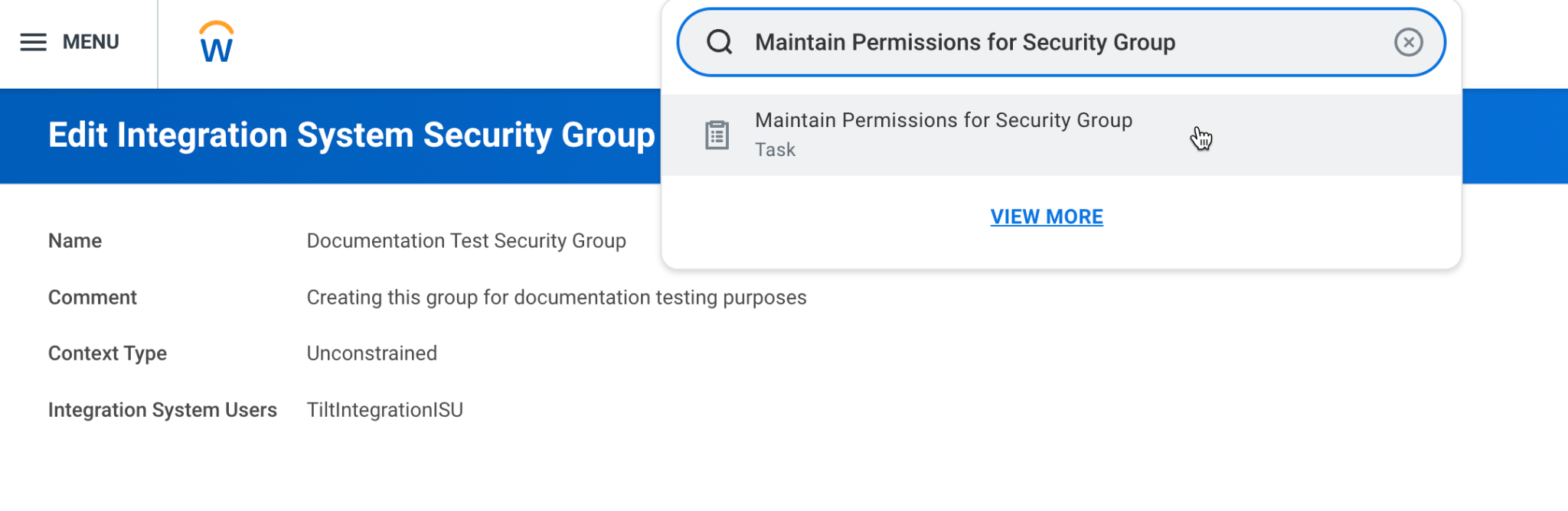
- Set Operation to Maintain and Source Security Group to the security group you created.
- Click OK.
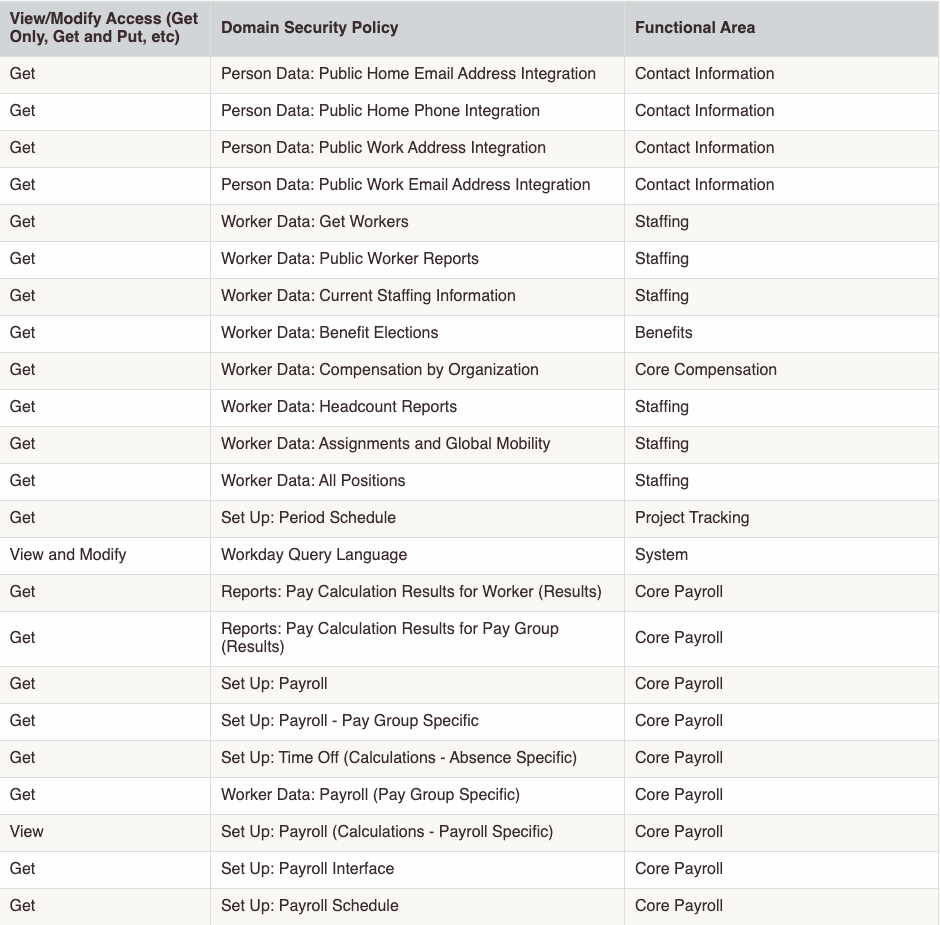
- Add the following Domain Security Policies, each with Get access unless noted otherwise:
What if it doesn't work
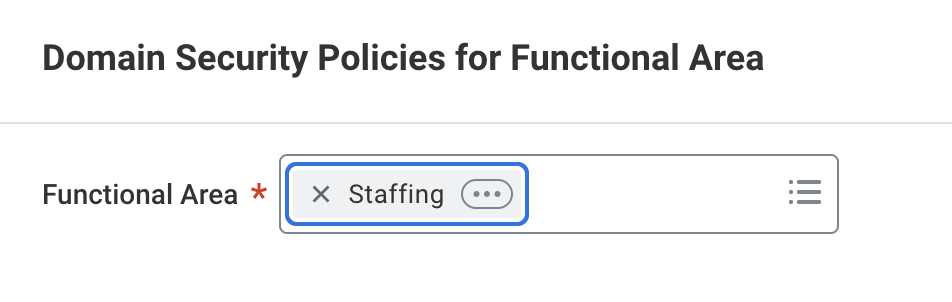
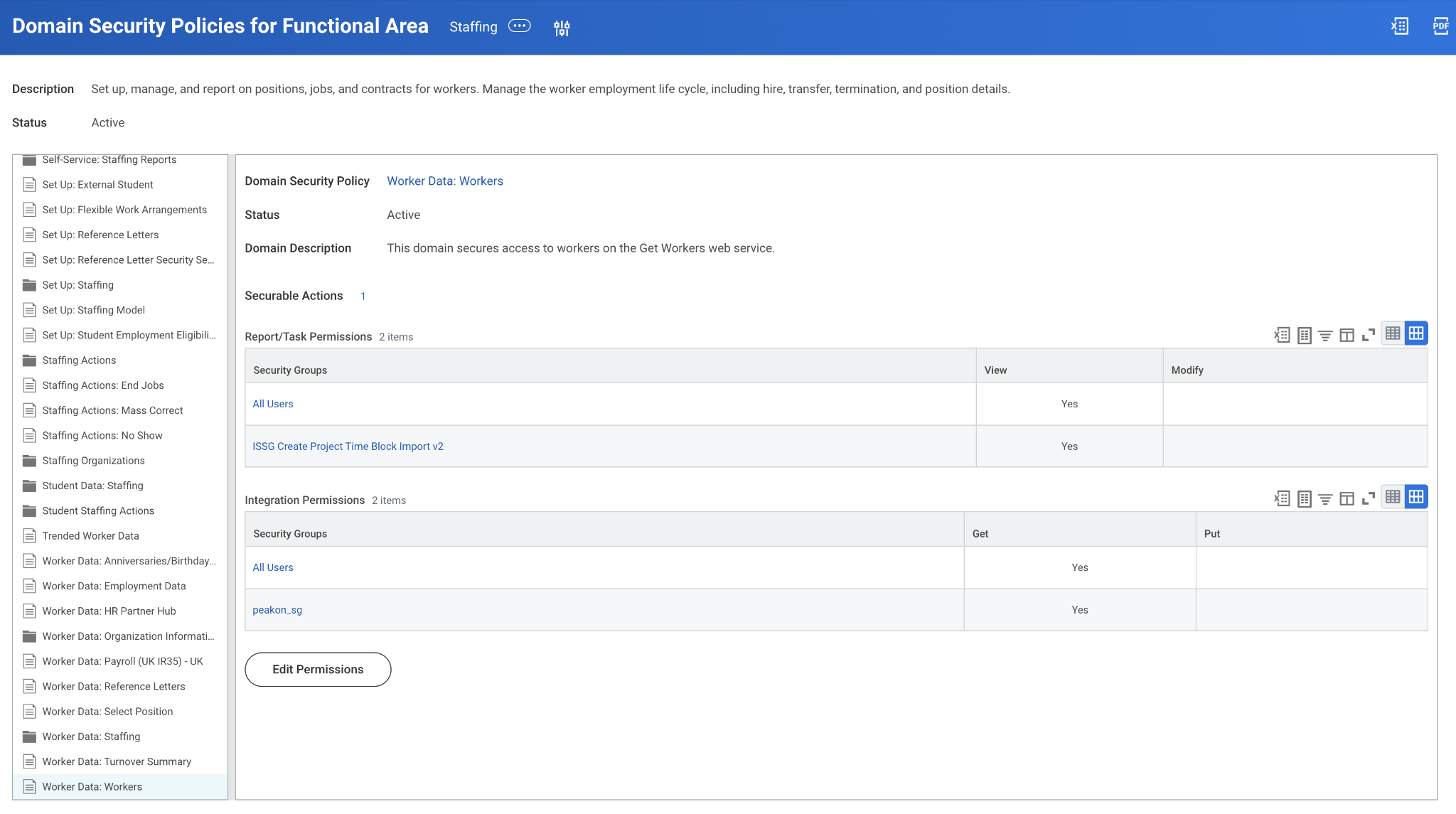
- If you can't find Worker Data: Workers in the dropdown when editing permissions, access it a different way: run the Domain Security Policies for Functional Area report, then add Tilt's Integration System Security Group (ISSG) to the Integration Permissions section for that domain and grant it Get access.
- If pay calendar or payroll-related data still isn't syncing, confirm the standard Workday Domain Security Policy parent-child relationships still exist — specifically, that Set Up: Payroll lists Set Up: Payroll (Payment Election Rules) as an inheriting policy. If it doesn't, Tilt's payroll-related permissions may not apply as expected.
- If you made your security group constrained rather than unconstrained (see the previous article), you must separately adjust the Worker Data: Workers Security Policy to only allow access to workers in your specific business or country.

Limits and exceptions
- These permissions cover the standard one-way integration only. If you also use leave data pushback (2-way integration), you need additional permissions — see the next article.
- Tilt expects Workday's standard Domain Security Policies and their default parent-child relationships to be intact. Heavily customized Workday configurations may need extra review.
- Changes made here don't take effect until you activate them — see "How do I activate pending security policy changes in Workday?"
Related questions
- How do I add permissions for Tilt's 2-way integration (leave data pushback) in Workday?
- How do I activate pending security policy changes in Workday?